This release adds a full Store Billing workflow, makes WooCommerce tier pricing far easier to manage at scale, surfaces the customer-paid shipping cost right where you work orders, and opens the Orders screen on exactly what still needs to ship.
Store Billing
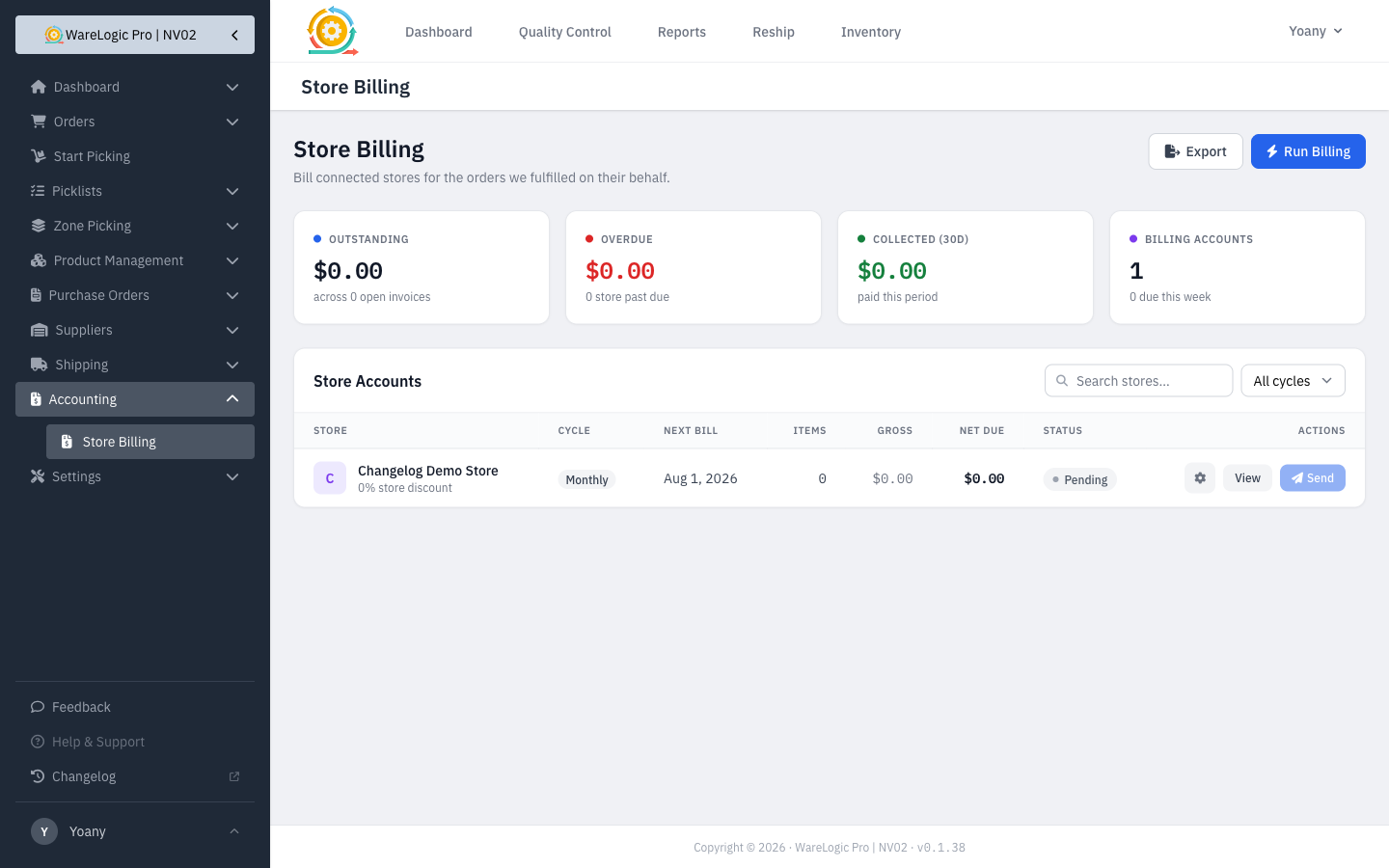
- Generate an invoice for a store, then send it as a branded PDF by email — styled to match your other documents.
- Print any invoice on the spot for your records.
- Mark invoices paid and see each store's outstanding balance at a glance, so the billing view always matches what's actually owed.
- Choose how a store is priced — its own discount or its tier pricing — and turn billing on or off per store with a single toggle.
Easier WooCommerce Tier Pricing
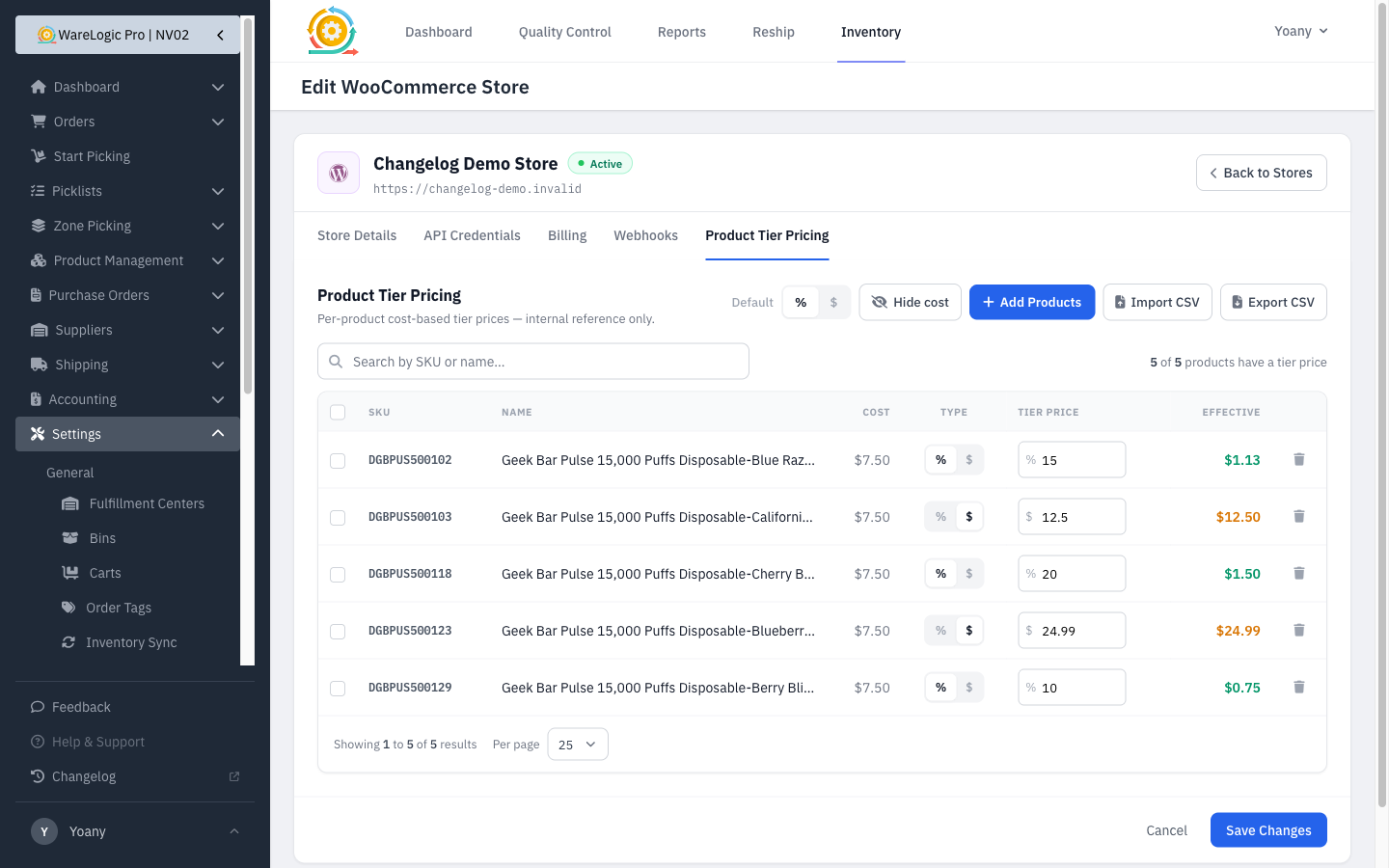
- Import tier prices from a CSV with a live progress bar and a clear result summary of what was added, updated, or skipped.
- Set one store-wide price and still override individual products where you need to.
- Bulk-delete selected price rows instead of removing them one at a time.
- Show or hide the Cost column, and page through long price lists with numbered pages and a per-page selector.
Shipping Cost on Your Orders
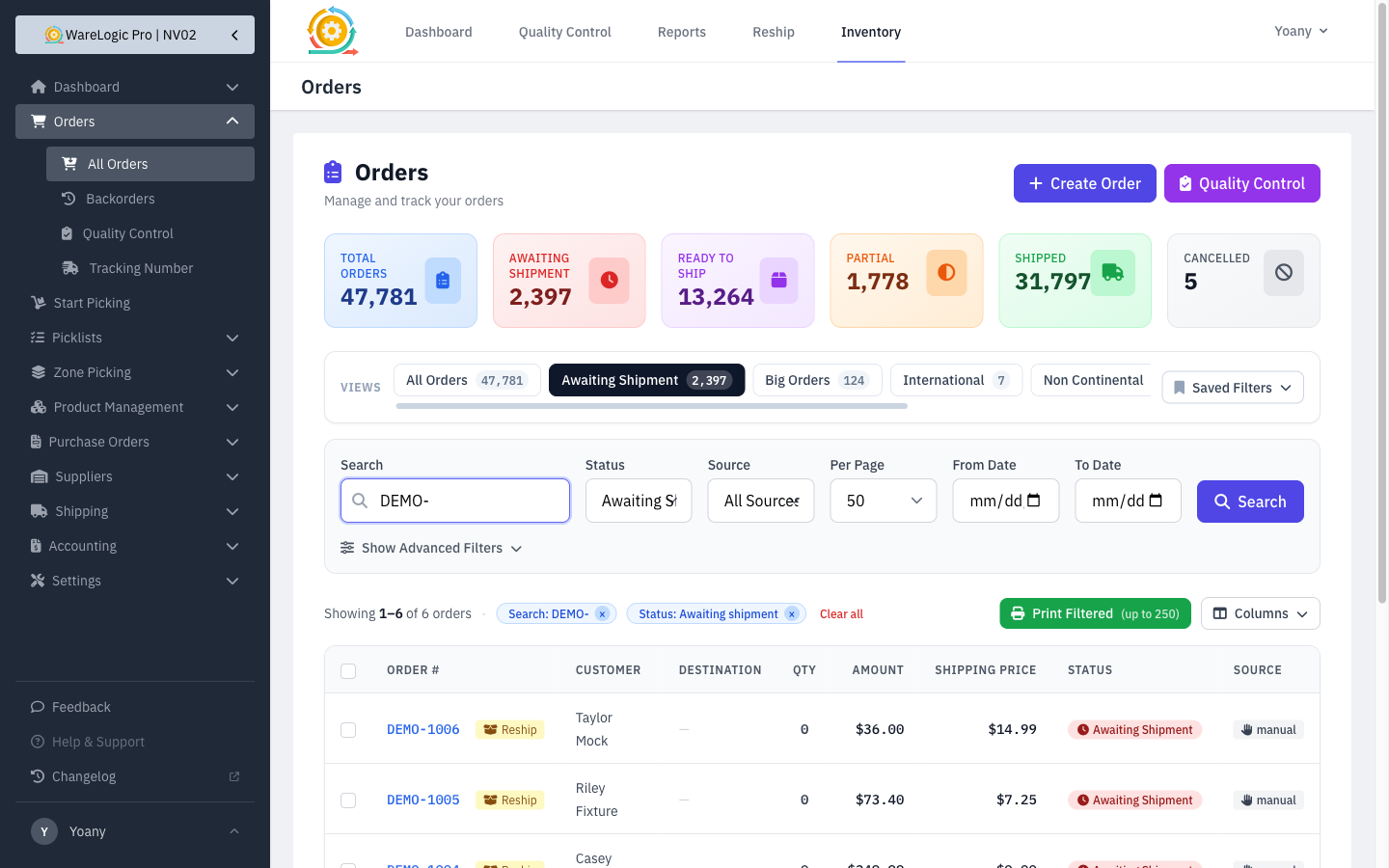
- A new Shipping Price column shows the shipping the customer paid, right in the orders list.
- Pick which columns you see with a new column-visibility control, so the list shows only what matters to you.
- The order detail page now shows the customer-paid shipping cost on its summary card.
Orders Open on What Needs Shipping
- Opening Orders now lands you on the Awaiting Shipment view by default, so you start on the work that still needs to go out.
Fixed
- Barcodes now appear correctly on printed packing slips.