The products list has been rebuilt around a simple idea: every flavour and size of the same product belongs in one row, with totals you can trust. Picking settings move into a clearer layout, and teams that want more certainty on the floor can now require a slot scan before a drop is confirmed.
Products That Group the Way You Expect
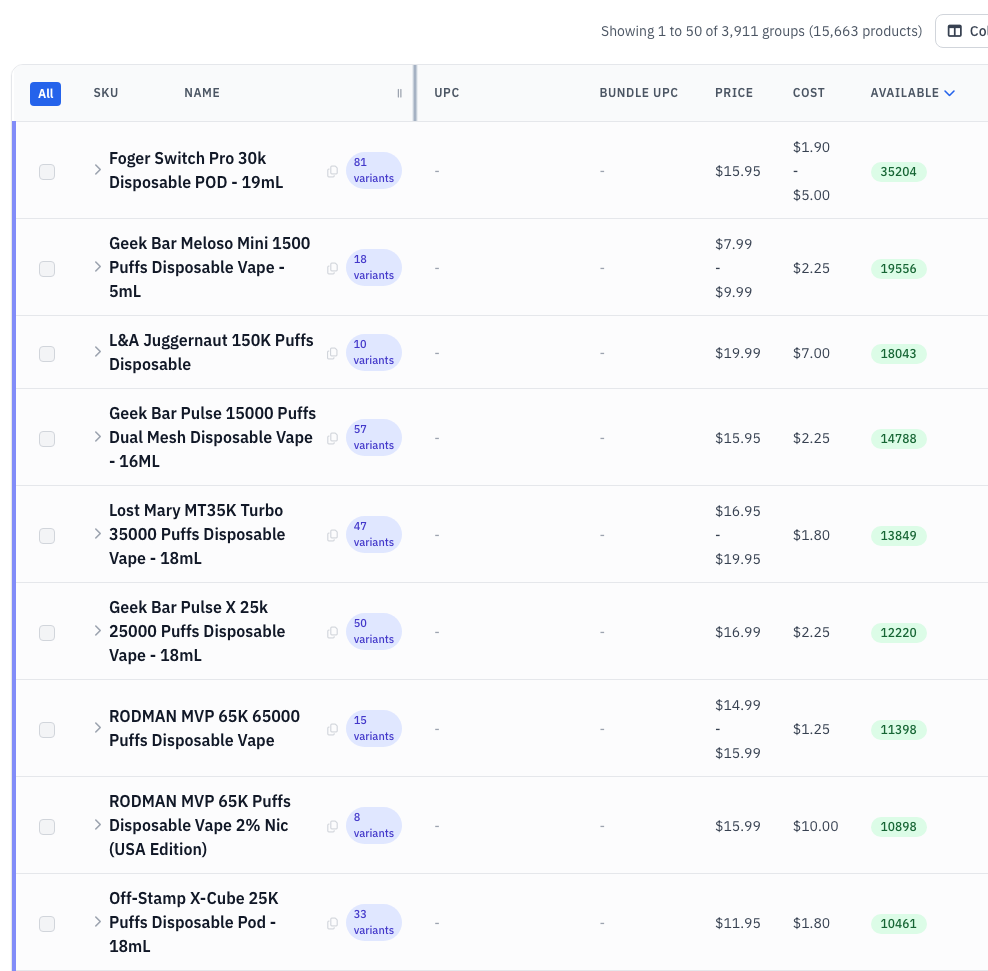
- Every flavour and size of a product now sits in one row, because grouping follows the product each variant actually belongs to instead of guessing from its name.
- Invented groups are gone. Names used to be cut at the first dash, which filed 247 products under "Mister E" and collapsed 133 different Off-Stamp models into a single "Off" row.
- Group totals are correct. Unrelated products can no longer land in the same row carrying each other's stock and a merged price range.
- Expanding a group shows the short variant name, matching what you already see on the collapsed row.
- Sorting is steady between pages, so groups no longer repeat or disappear as you page through, and sorting by name or by SKU shows the same rows.
- The page is much faster. It used to load the entire catalogue on every request; now it fetches only the page you're looking at. Sorting by quantity went from about 12 seconds to under one.
- The same grouping now applies everywhere the catalogue is grouped: search, the move search, expanded groups and bulk edit, which could previously disagree with each other.
Choose How Products Group
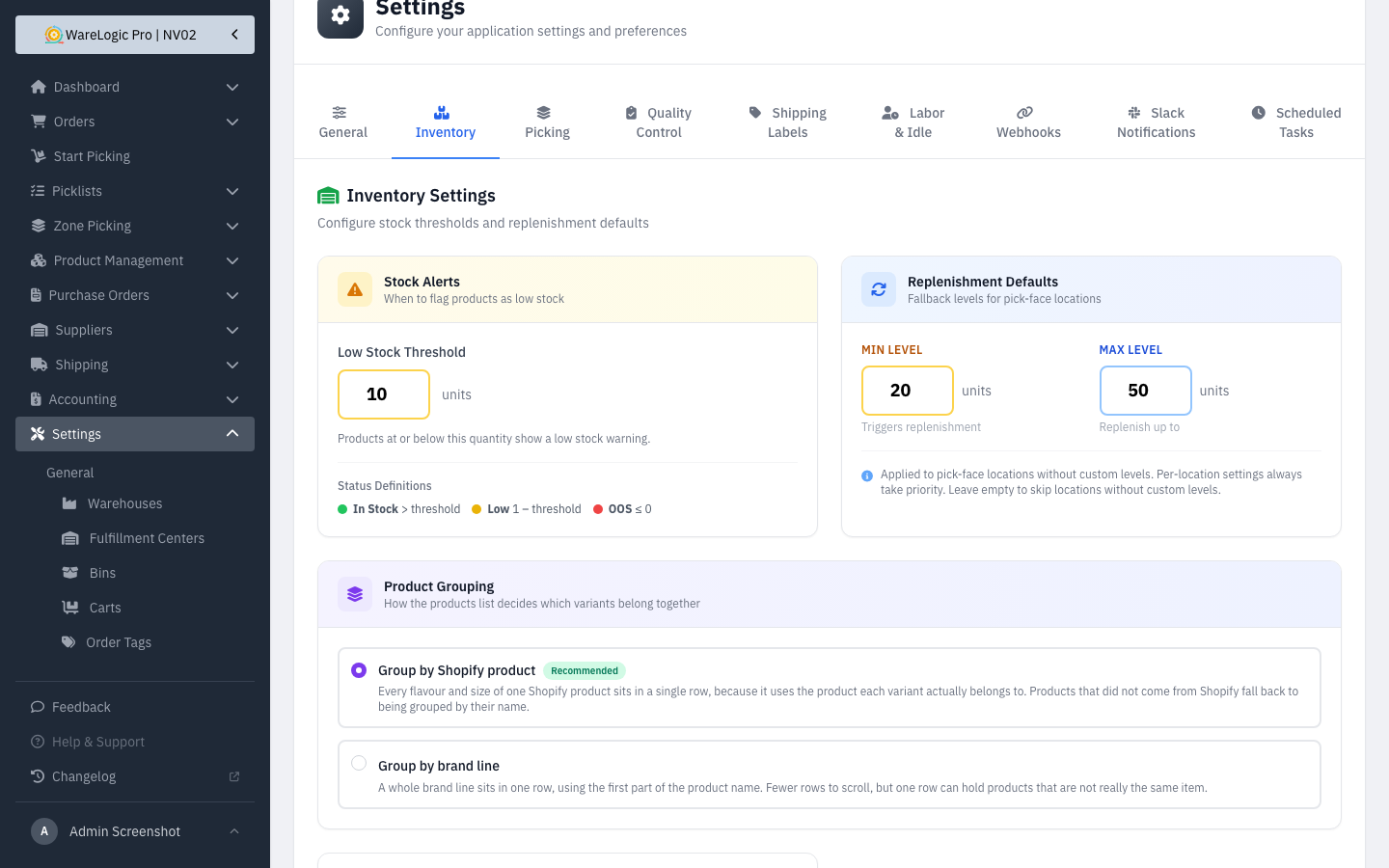
A new Product Grouping setting on Settings → Inventory decides how the list decides which variants belong together:
- Group by Shopify product (recommended, and the new default) puts every flavour and size of one Shopify product in a single row. Products that didn't come from Shopify fall back to grouping by name.
- Group by brand line puts a whole brand line in one row. Fewer rows to scroll, but a row can hold products that aren't really the same item.
- The change takes effect on the very next page load. There's nothing to rebuild and no waiting.
Require a Slot Scan Before a Drop
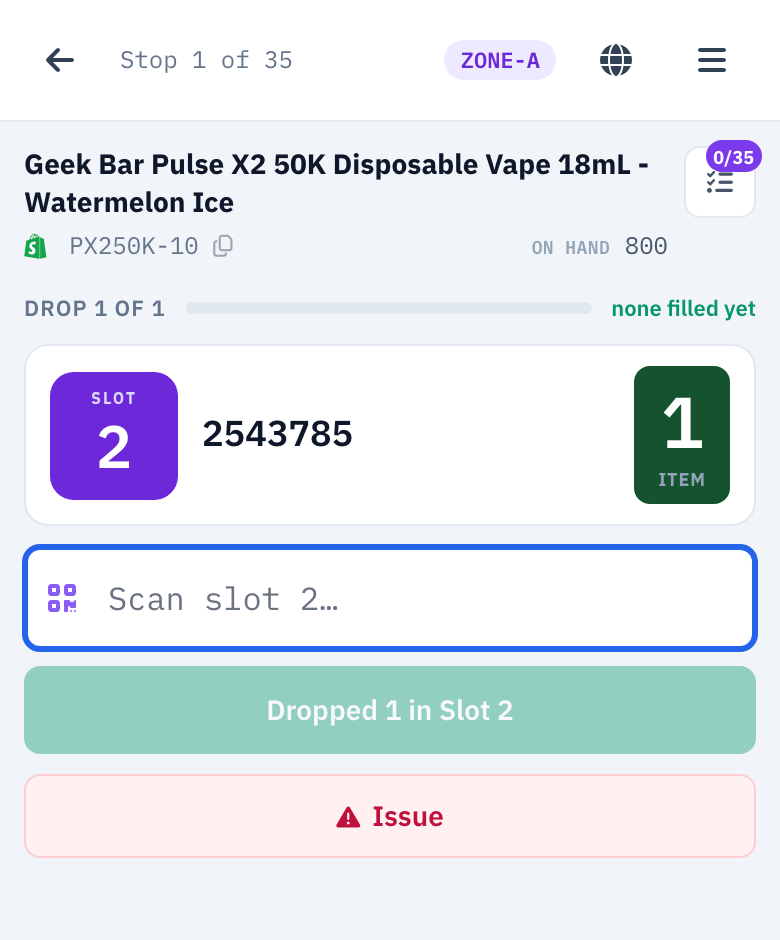
- A new Require slot scan to confirm a drop setting on Settings → Picking adds a scan step before items are dropped into a slot.
- It ships off, so picking works exactly as before until someone turns it on.
- With it on, the picker scans the slot label and the drop button only unlocks when the number matches the slot on screen. A wrong scan says which slot was scanned and which one the items belong in.
- A damaged or missing label never strands a run: Issue → "Item won't scan" still lets the picker finish, and the bypass is recorded.
A Clearer Picking Settings Page
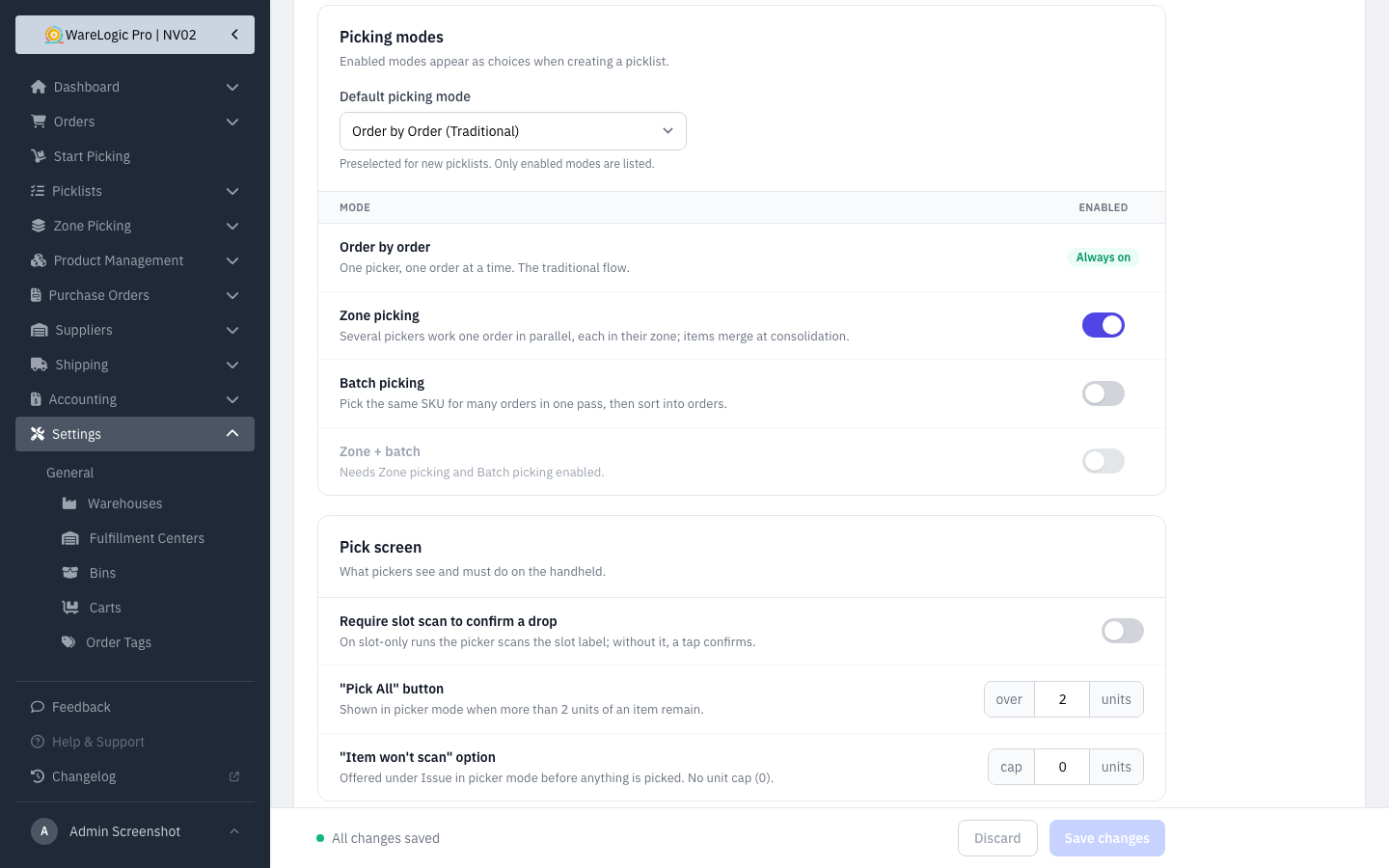
- Picking settings are now two clear cards: the modes you offer, and what pickers see on the handheld.
- Modes sit in one table. Order by order is always available, and Zone + batch is only selectable when both Zone picking and Batch picking are on.
- The default mode list only offers modes you've actually enabled, and switching a mode off updates it for you.
- Batch options appear only when batch picking is on.
- A bar at the bottom of the page counts your unsaved changes and lets you discard them, so you always know whether the page is saved.
For Admins
- Product grouping fills itself in overnight, in a nightly job at 2:50am. Right after this release, run
php artisan products:recompute-groupsonce so the whole catalogue is grouped immediately instead of waiting for the first run. - For products that were imported from Shopify before this release,
php artisan shopify:backfill-product-parents {store}fills in the missing link to their Shopify product, one store per run. It only reports what it would do until you add--apply, and it never creates or renames products. New and updated products get this automatically from now on. - Restock purchase orders are deliberately untouched. They keep their own, broader supplier grouping, so this setting doesn't change how POs are built.