This release closes the gap between a picker saying "it's not there" and an order going out short. Orders that come back out of stock now wait for a shelf check instead of sliding into quality control. Shipping labels can be bought without leaving the QC page, labor and idle tracking becomes something you can tune per role, and the picking reports have been rebuilt so the numbers can be trusted and compared.
Out-of-Stock Checks Before Quality Control
- When a cart run finishes, a sheet lists every slot that came up short, so the picker knows exactly what was missed.
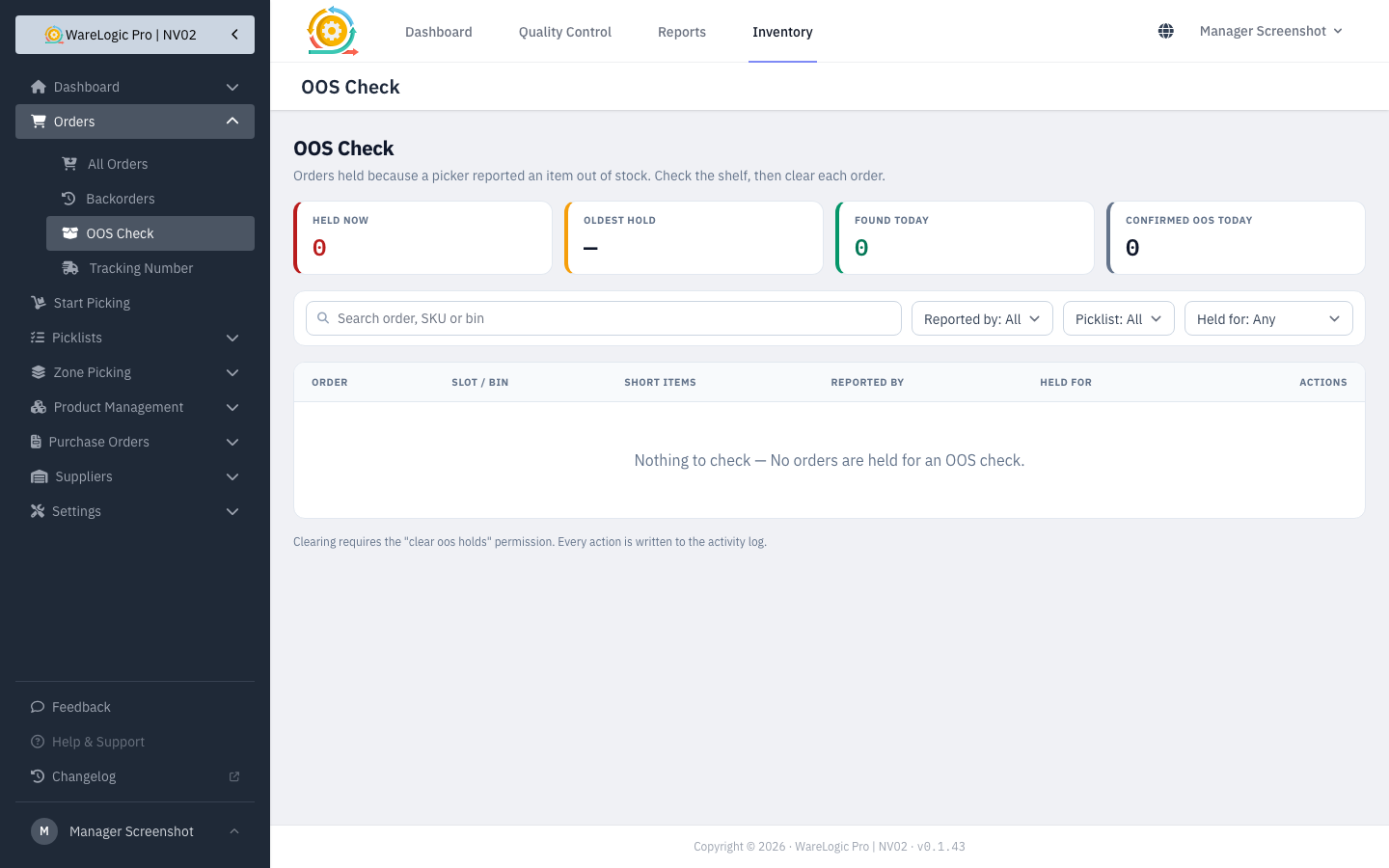
- Orders with an out-of-stock line are held back from quality control until someone has checked the shelf.
- A new OOS Check page lets you look at each held order and clear it once the stock has been found or confirmed missing.
- Managers get a single notification per run when orders are held, instead of one per order.
Buy Shipping Labels From the QC Page
- A shipping label panel on the quality control page shows the available rates, so you can buy the label while the order is still in front of you.
- Admins can map shipping methods to the carrier services the warehouse uses, so the right option is picked by default.
- Labels can be created automatically when quality control is completed, if the warehouse turns that on.
Picking
- Zone runs can now be picked by slot, and each pick in the run's history shows which slot it went to.
- The floor queue updates live — once a run is claimed, it disappears from everyone else's screen.
- Two pickers can no longer claim the same run at the same moment.
- A run that is released goes back to the queue as pending, ready for the next picker.
- The "Ready to pick up" list on the picker screen has been removed — it was too easy to tap by mistake.
Building Picking Runs
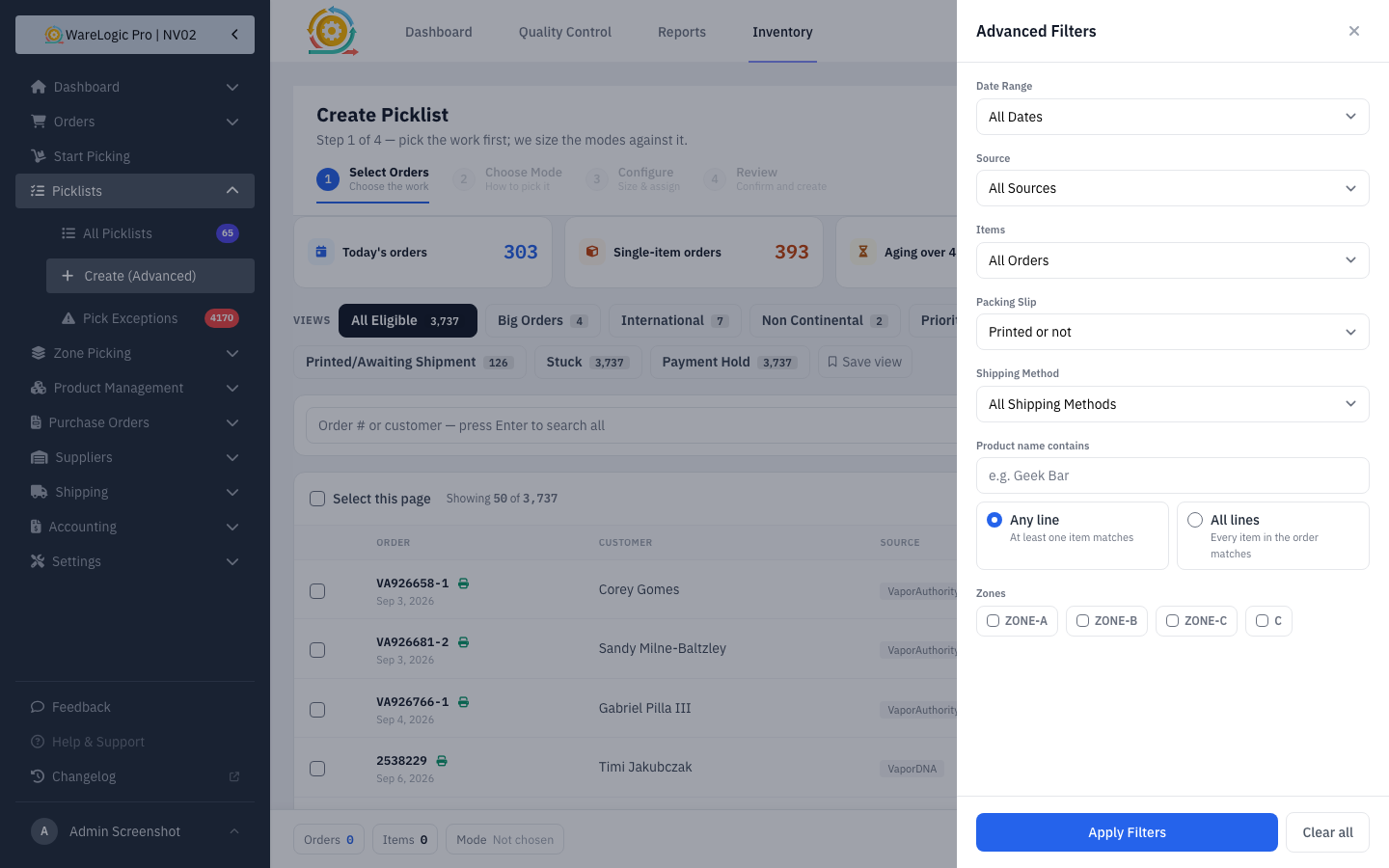
- Filter orders by product name, and choose whether any line or all lines must match.
- Pick how many orders you see per page, including your own custom number.
- Each run in the picking lists now has a single actions menu instead of a row of buttons.
Packing Slips
- You are asked to confirm before reprinting slips that have already been printed, and the run records who printed it.
- Only the slips that actually printed are marked as printed.
- Printing packing slips can be granted separately from other picking permissions.
- Each slip shows the cart slot the order was actually placed in.
Labor & Idle Time
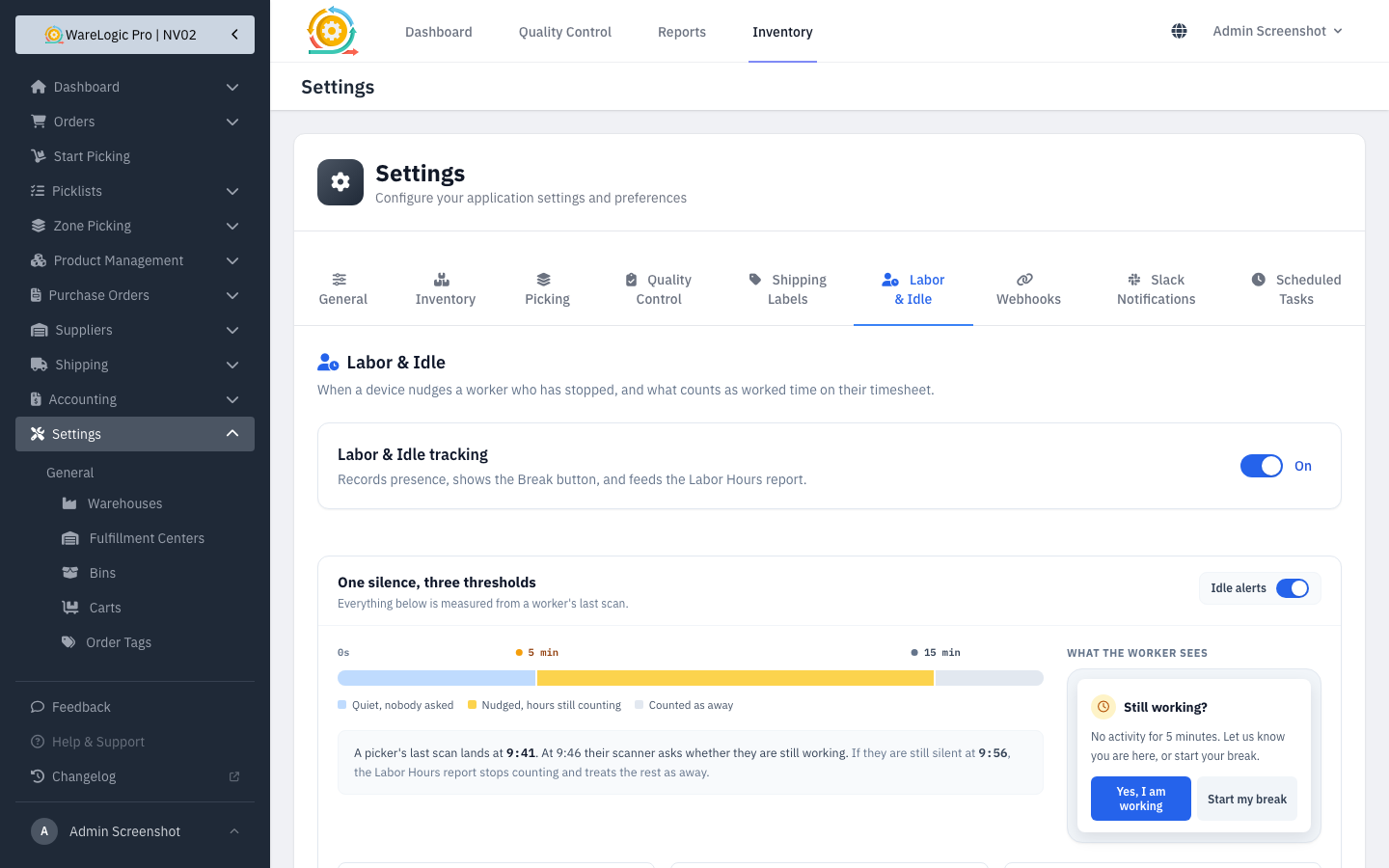
- Workers can declare a break, so a break is no longer counted as idle time.
- Someone who has gone idle gets a gentle reminder, with the option to start a break.
- Each role can have its own idle threshold, and the whole feature can be switched on or off in one place.
- The Labor & Idle settings tab has been redesigned, and every change to the policy is recorded.
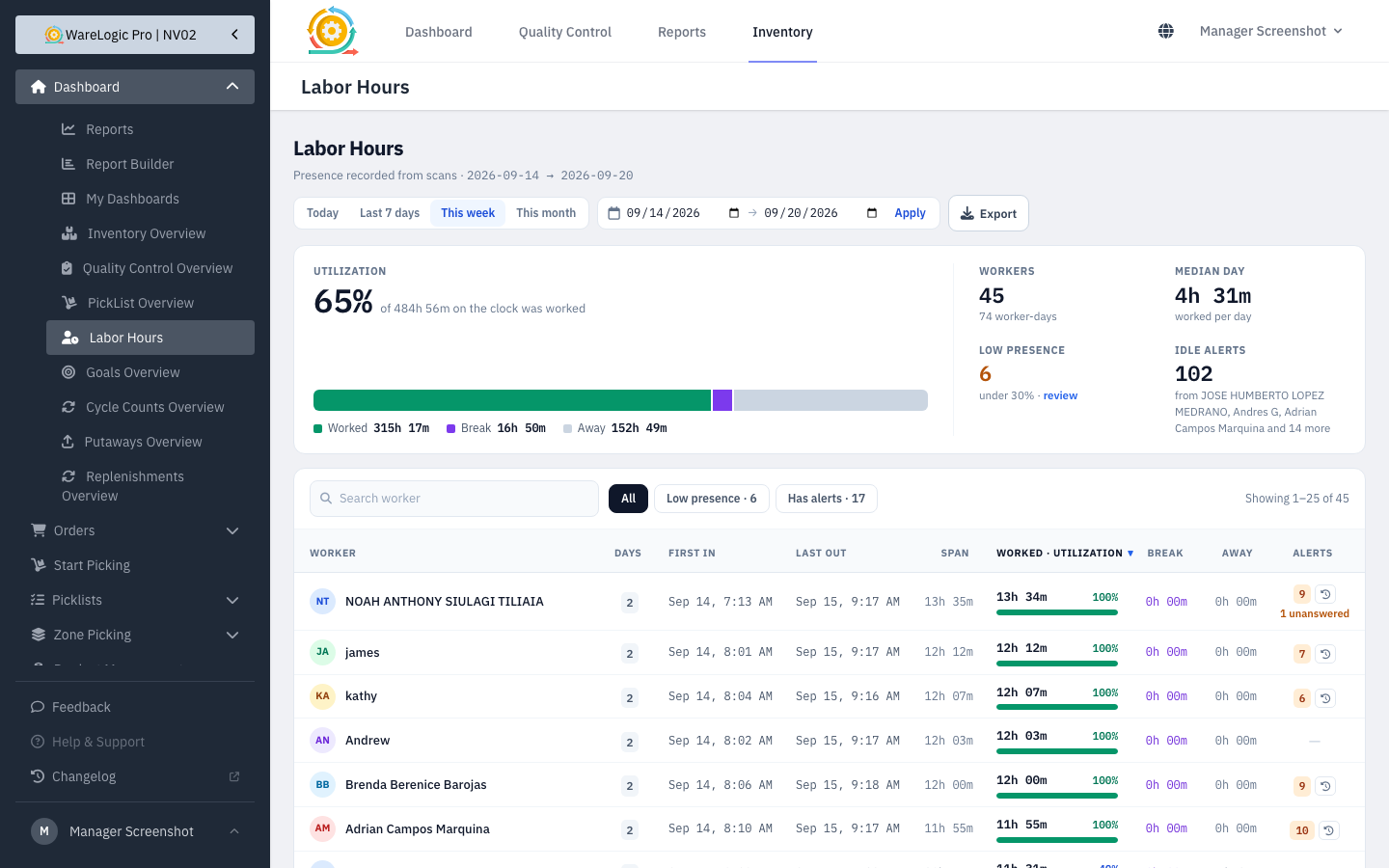
- The Labor Hours report now opens with a summary, has filters and pages, exports to CSV, and shows a history of idle alerts.
- Warehouse labor hours are shown on the dashboard.
Picking Reports
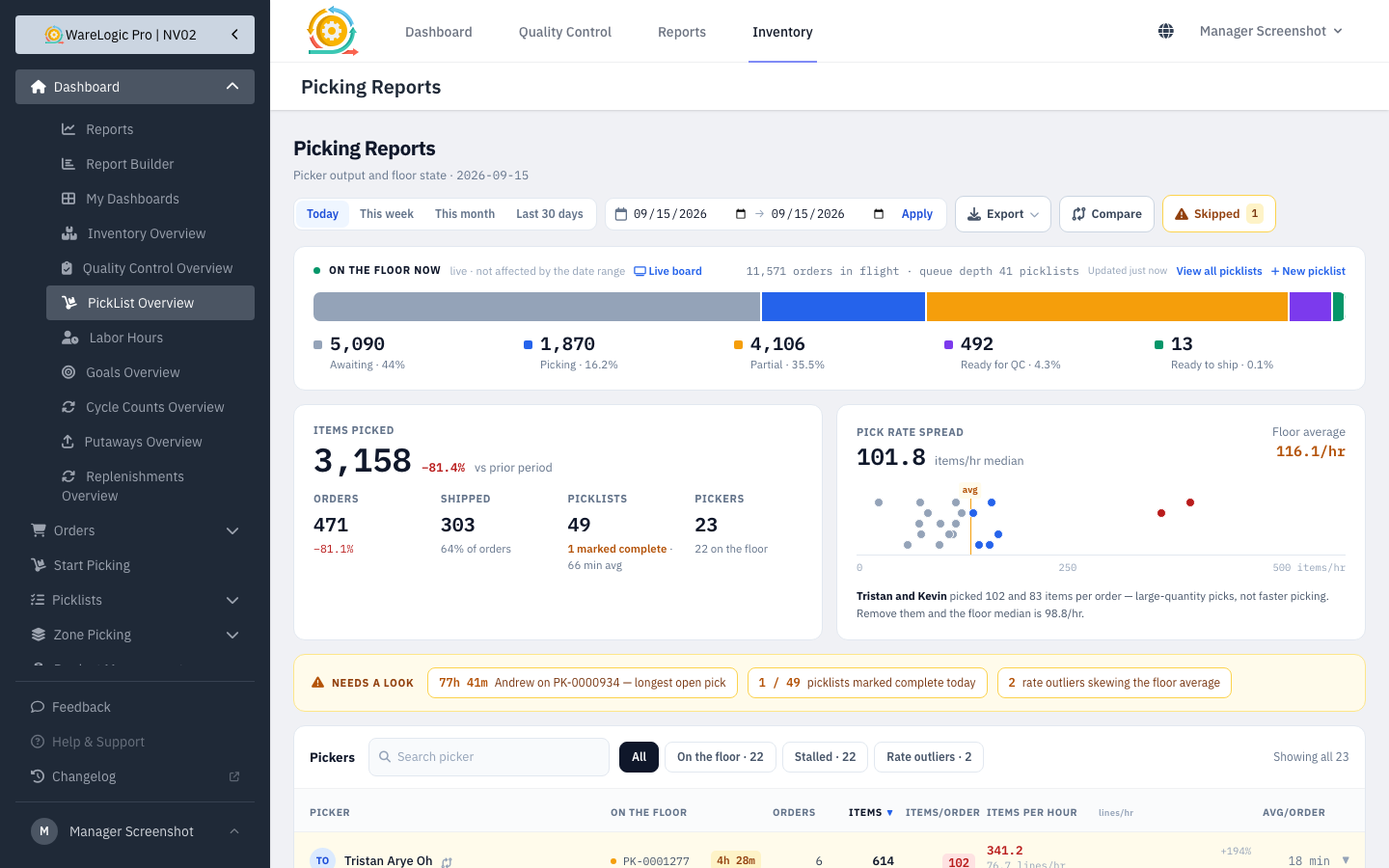
- The Picking Reports overview has been redesigned.
- Picker performance figures have been corrected.
- Export picker performance to CSV.
- Compare a picker's performance across days, or compare pickers side by side.
- The inventory dashboard now loads almost instantly (under a fifth of a second, down from more than seven seconds) and uses the same date controls as the other reports.
Warehouse Goals
- The pace line now follows how the warehouse really ships through the day, so the board no longer reports "behind" every morning.
- Retail and wholesale are split by the number of lines on an order, so the two figures are consistent everywhere.
Orders
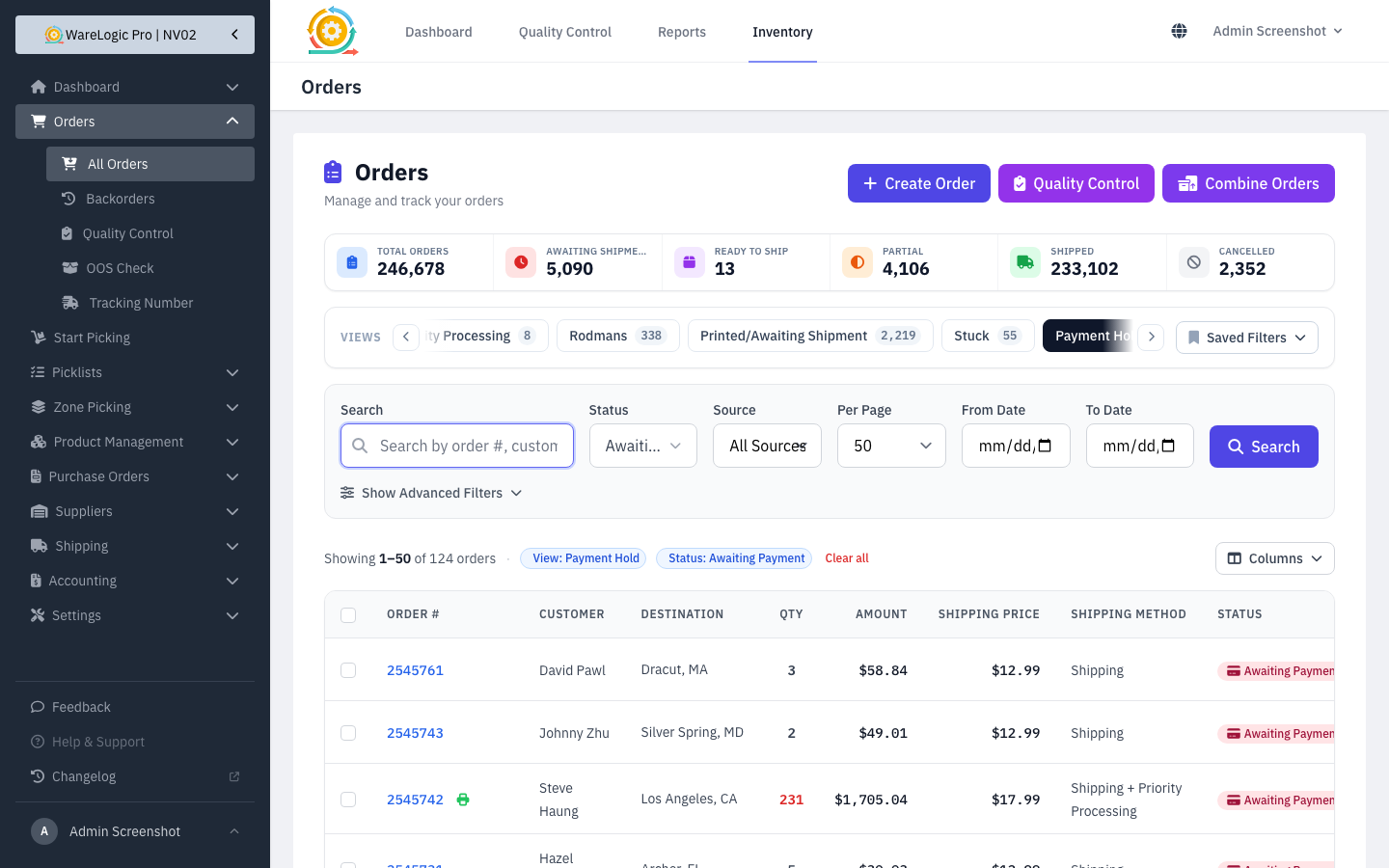
- Orders on a payment hold have their own saved view, with actions to resolve them right from the list.
- You are alerted when a payment hold has been sitting too long.
- Orders that don't belong to any of the connected stores are no longer brought into the warehouse.
Inventory
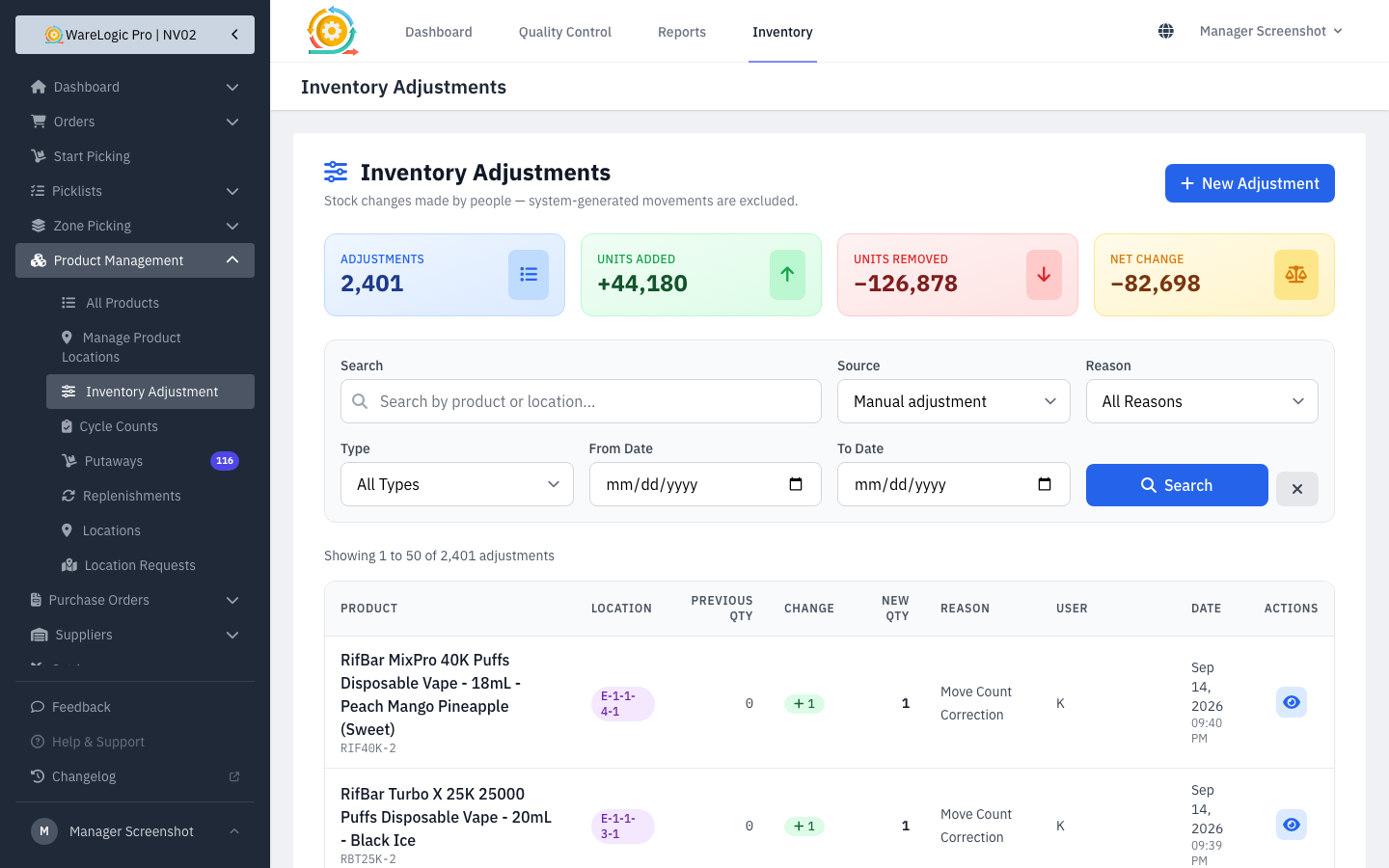
- The inventory adjustments report shows where each change came from and the quantity before and after, and opens on manual corrections by default.
- On-hand and committed stock are updated as soon as a cart drop is completed.
- Stock is taken from the shelf that actually holds it when the originally assigned one has run out.
Smaller Fixes
- "Select all" on the products list now respects every active filter when running a bulk action.
- Products that already exist in the warehouse are matched correctly when Shopify sends an update.
- Activity log entries read more cleanly, and old entries are cleared out over time.