This release speeds up the busiest print screen, stops unrecognized products from quietly falling off orders, and makes orders easier to triage with tag filtering and notes.
Faster Packing Slip Printing
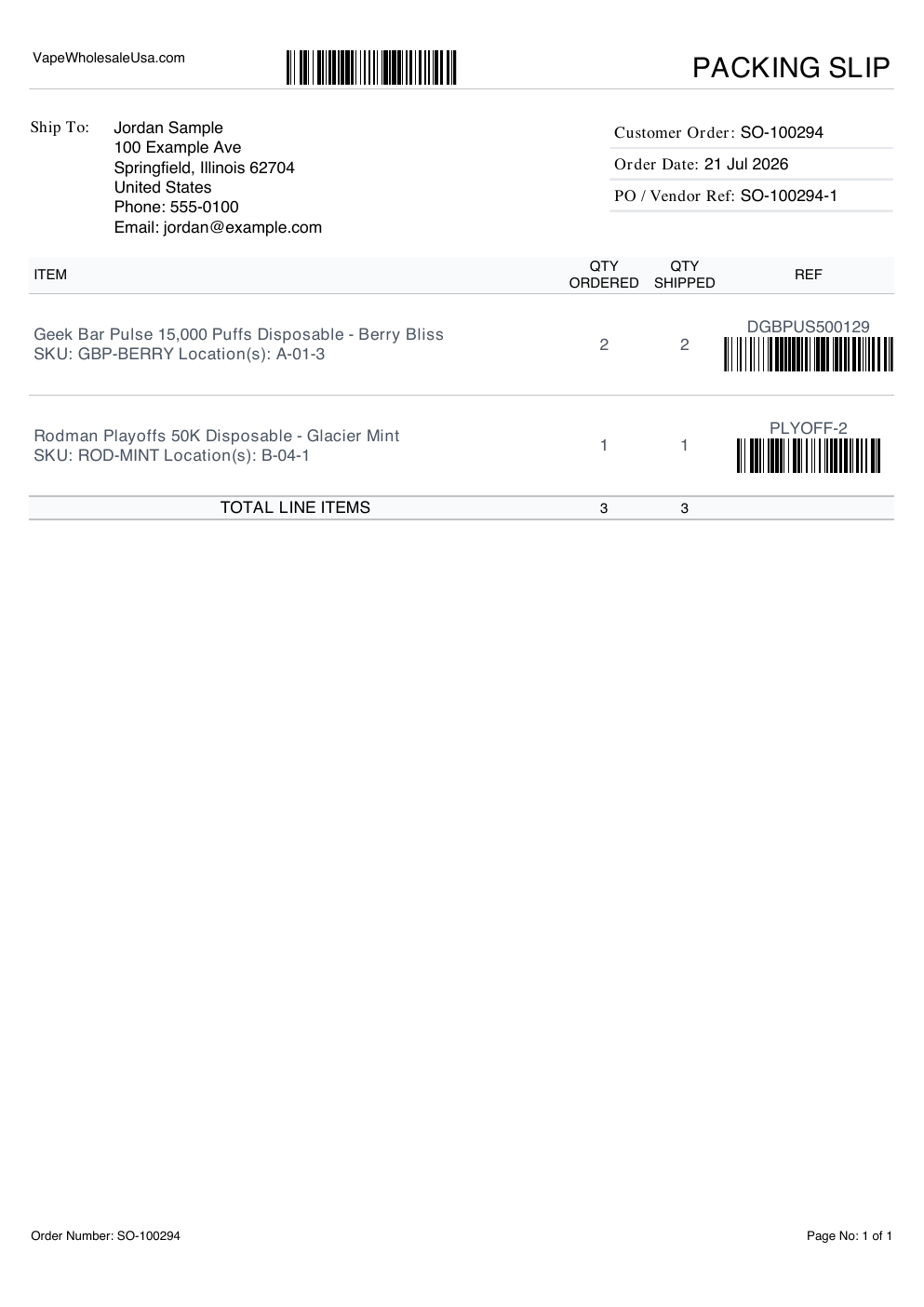
- Printing several packing slips at once from the Reship page no longer hangs on "Processing…" — a batch that used to spin for a minute now finishes in a few seconds.
- The Ship To address now sits right next to its label so the slip is easier to read at a glance.
Unrecognized Products Are Flagged, Not Dropped
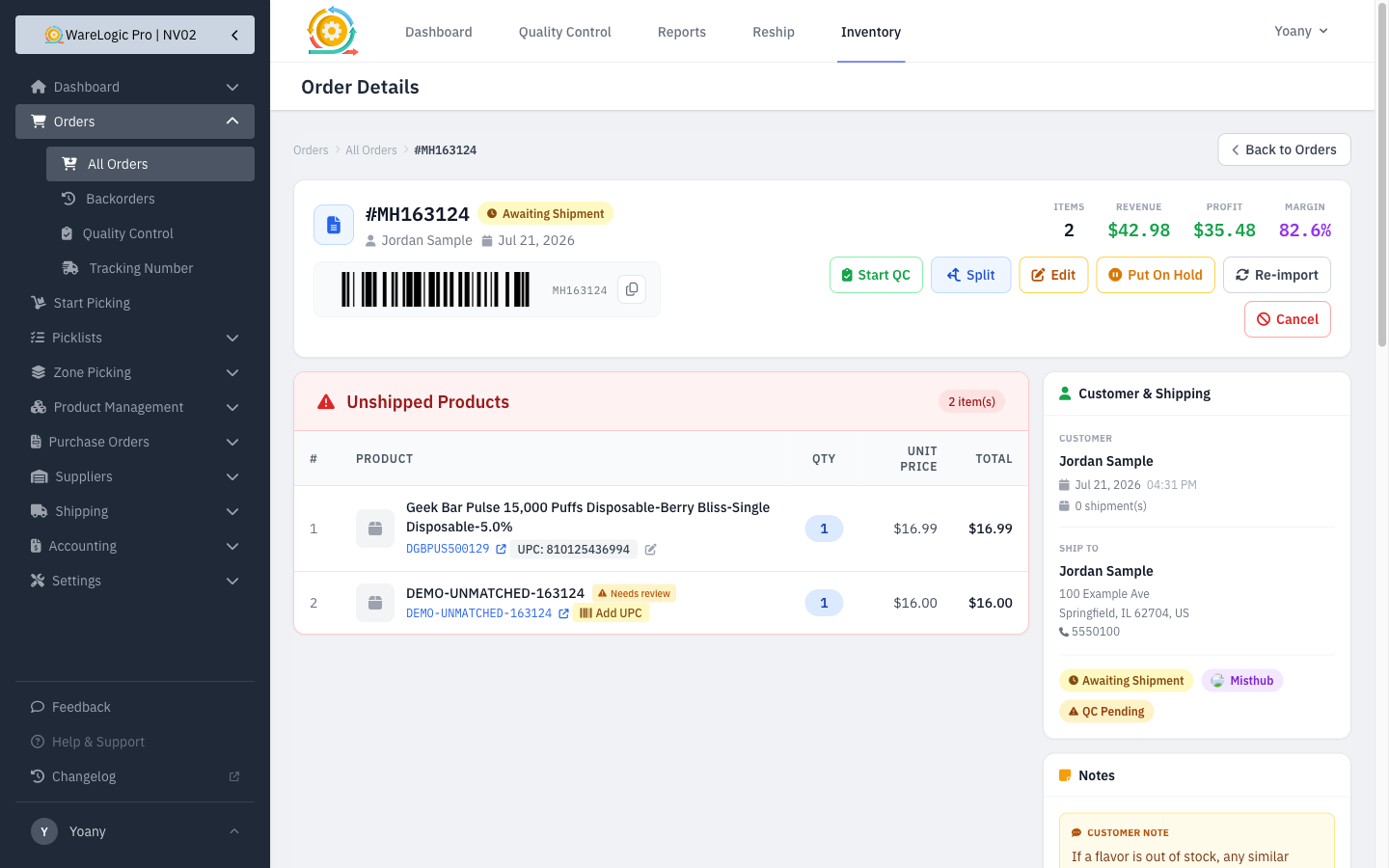
- When an order comes in with a product the system doesn't have on file yet, that item is no longer silently dropped. The WMS creates a placeholder product, keeps it on the order, and stocks it so the order can still be picked, packed, and shipped.
- The order is flagged with an Unmatched Product tag and shows a Needs review marker on the affected line, so your team knows someone should fill in the product's real details.
- On the products list, auto-created products show an alert icon, and a new Needs Review filter lets you find them all at once.
- Opening the product shows a review banner with a Mark as reviewed button — filling in the real cost and name (or clicking the button) clears the alert and removes the tag from the order once everything is resolved.
Filter Orders by Tag
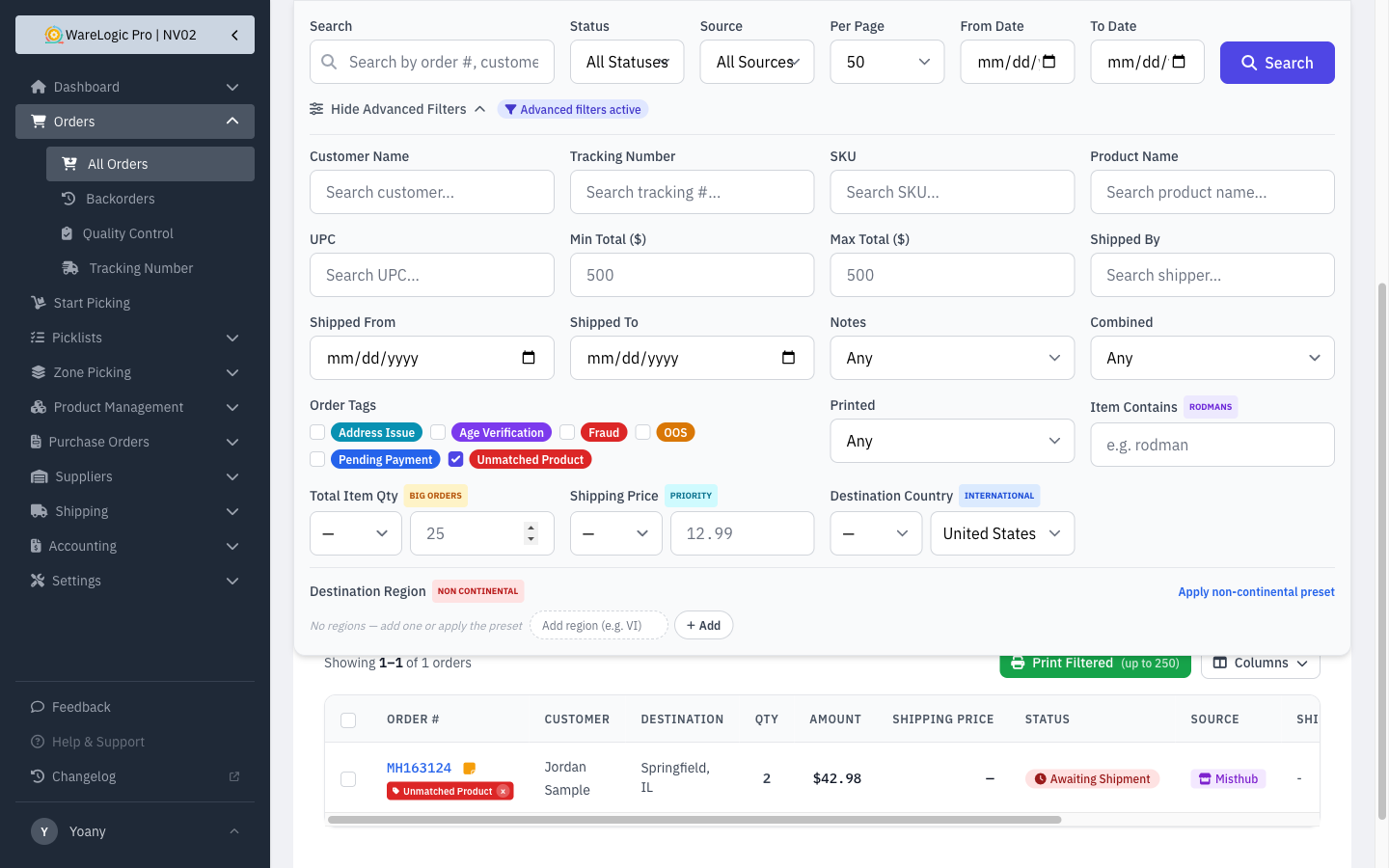
- The Orders advanced filters now include Order Tags — check one or more tags (Fraud, OOS, Pending Payment, Unmatched Product, and any others you use) to narrow the list to just those orders.
Customer & Internal Notes on Orders
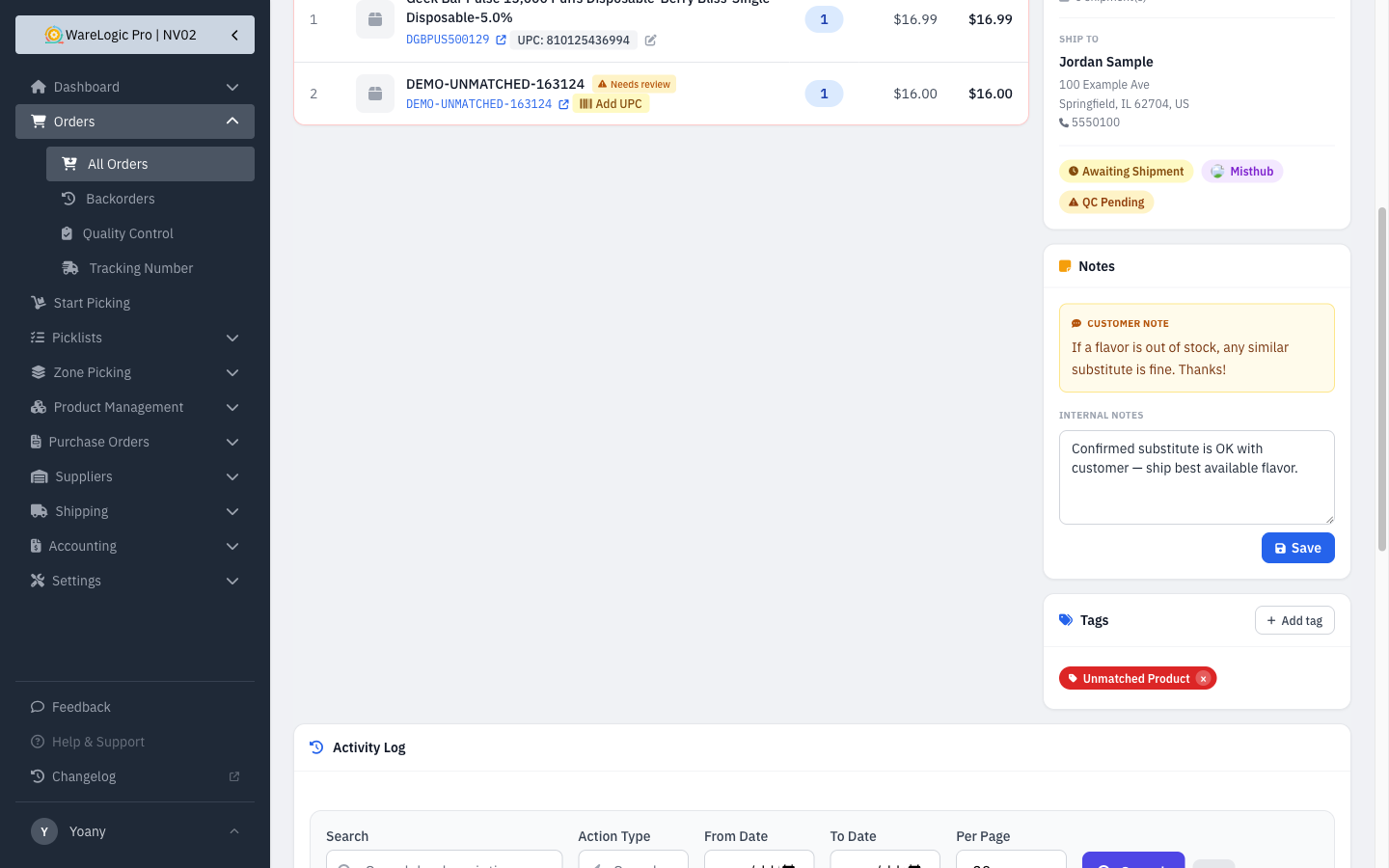
- Customer notes left at checkout (for example, "if this flavor is unavailable, any other is fine") now come through from the store and appear on the order — handy for pickers and packers.
- Each order also has a new Internal Notes field your team can edit for staff-only reminders.
- A note icon appears next to the order number on the orders list whenever an order has a customer or internal note, with a quick preview on hover.