This release puts more control in managers' hands and makes high-traffic pages snappier. Pick exceptions are no longer fire-and-forget reports — they become a tracked checklist that managers walk through and mark Audited. The Locations page picks up the same select-all-matching pattern the Pick Exceptions report has had since 0.1.5, plus a new Bulk Edit modal. And the product and order detail pages load much faster — the activity log fills in after the rest of the page is on screen.
Audit Pick Exceptions
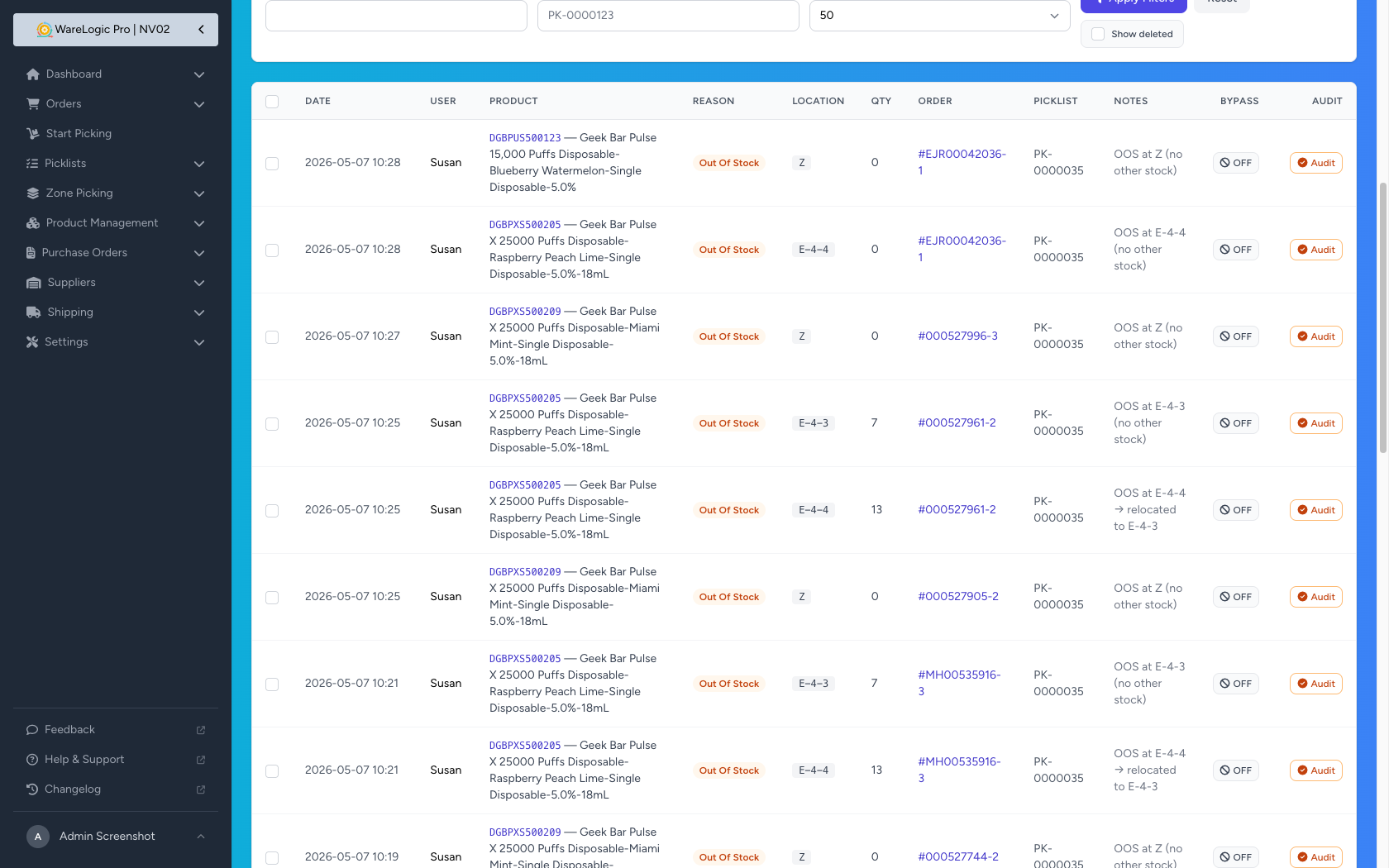
- New Audit button on each row of the Pick Exceptions report — click once to mark a flagged bin and SKU as physically checked
- Audited rows turn green, with an Undo Audit button if you need to revisit
- The Inventory sidebar shows a red count badge for the number of un-audited exceptions, so you always know what's pending
- A new Location column shows the bin where each issue was reported — also added to the CSV export
- Gated by a new permission so you can hand the audit action out to specific roles only
Out-of-Stock Reports Are Now an Audit Queue, Not an Auto-Zero
This changes how the Report Issue → Out Of Stock flow introduced in 0.1.5 affects inventory. (See the screenshot above — every row in the audit list is one of these reports.)
- Reporting an item Out Of Stock no longer zeroes the bin automatically — the report becomes an item on the audit list above instead
- A manager physically checks the bin, makes the inventory adjustment they want, then clicks Audit to clear the report
- This prevents accidental zero-outs when a picker glances at the wrong shelf or a unit was misplaced — the activity log will show the audit action, not a silent inventory wipe
- If a picker reports the same product Out Of Stock at multiple bins, the picker is now sent to a different bin each time instead of bouncing between the same two locations
Bulk Edit on Locations
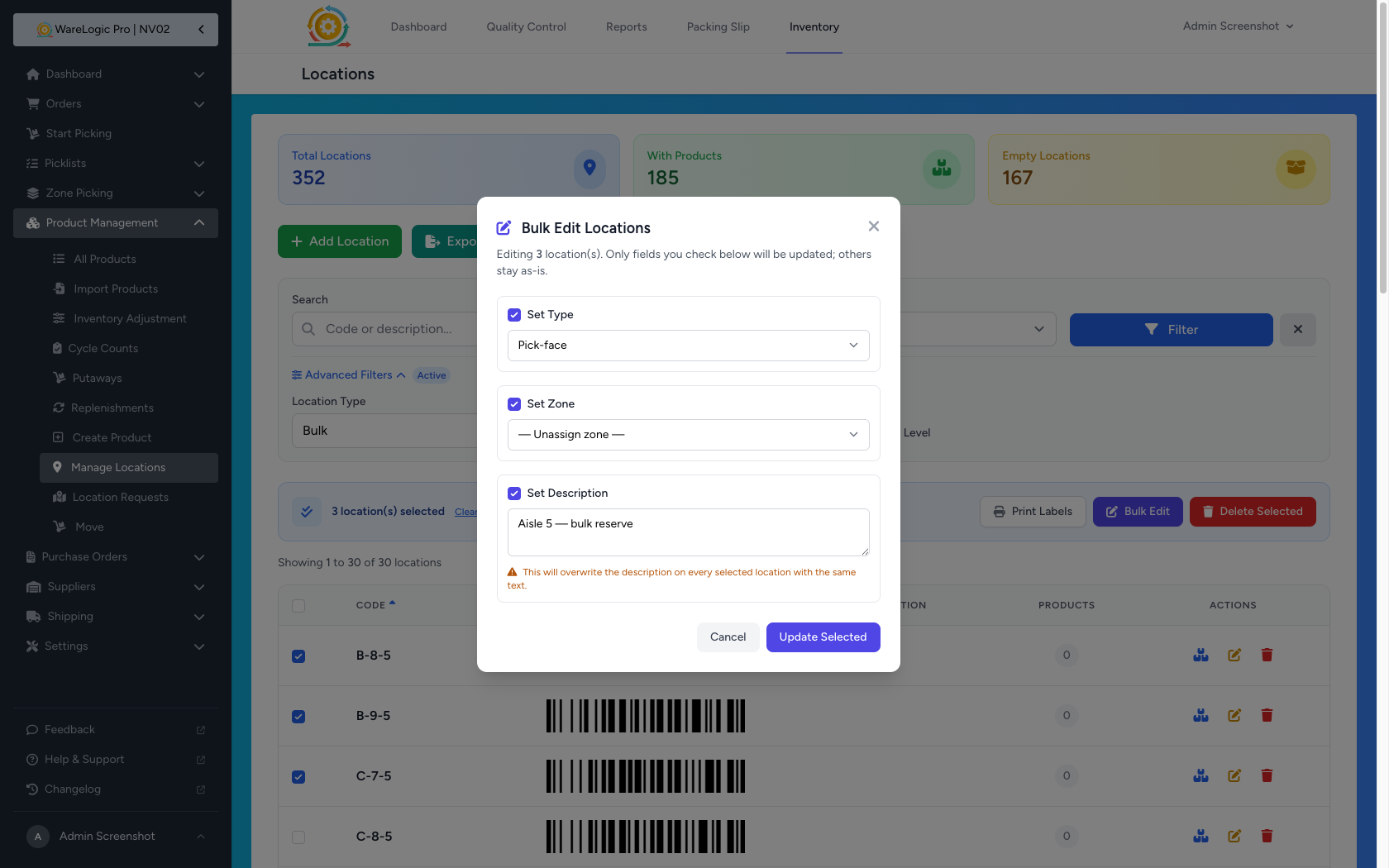
- New Bulk Edit button on the Inventory Locations page lets you change Type, Zone, or Description on many locations at once
- Tick the checkbox next to each field you want to change — every other column stays untouched, so it's safe to bulk-update one column without disturbing the others
- Set a field to its empty option to clear it (unassign a zone, remove a type)
- A confirmation prompt shows the count before the change is applied
Select-All-Matching, Now on Locations Too
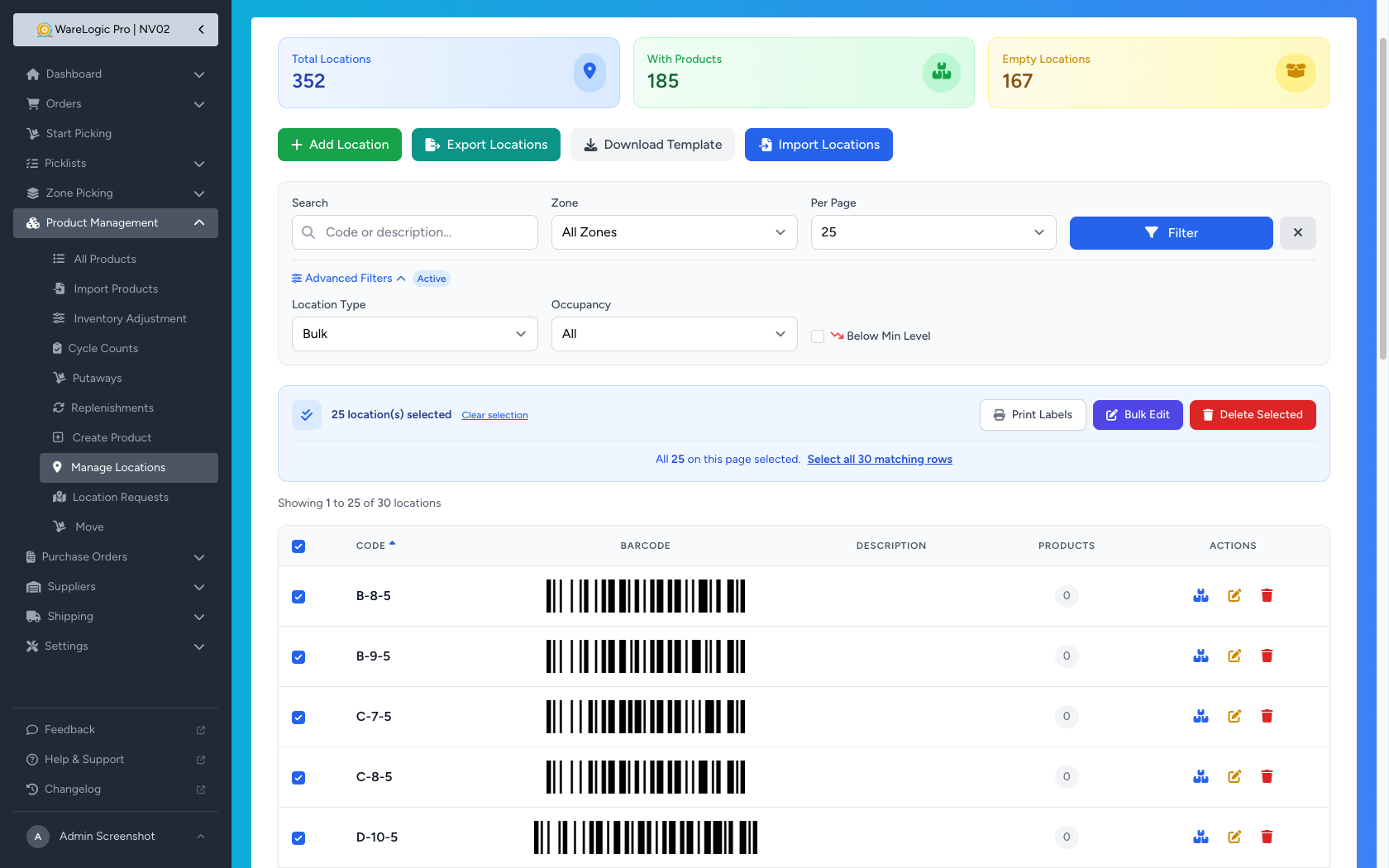
The cross-page select-all banner that's been on the Pick Exceptions report since 0.1.5 is now on the Locations page as well — and it powers all three bulk actions there.
- Tick every row on the page and a banner appears: "Select all N matching rows"
- Click it to expand the selection across pages — the next action operates on every row matching your current filters
- Works for Bulk Edit, Delete Selected, and Print Labels — change or print thousands of locations at once
- An Undo link in the banner steps back to page-only selection
Slide-Over Panel for Order Item Notes
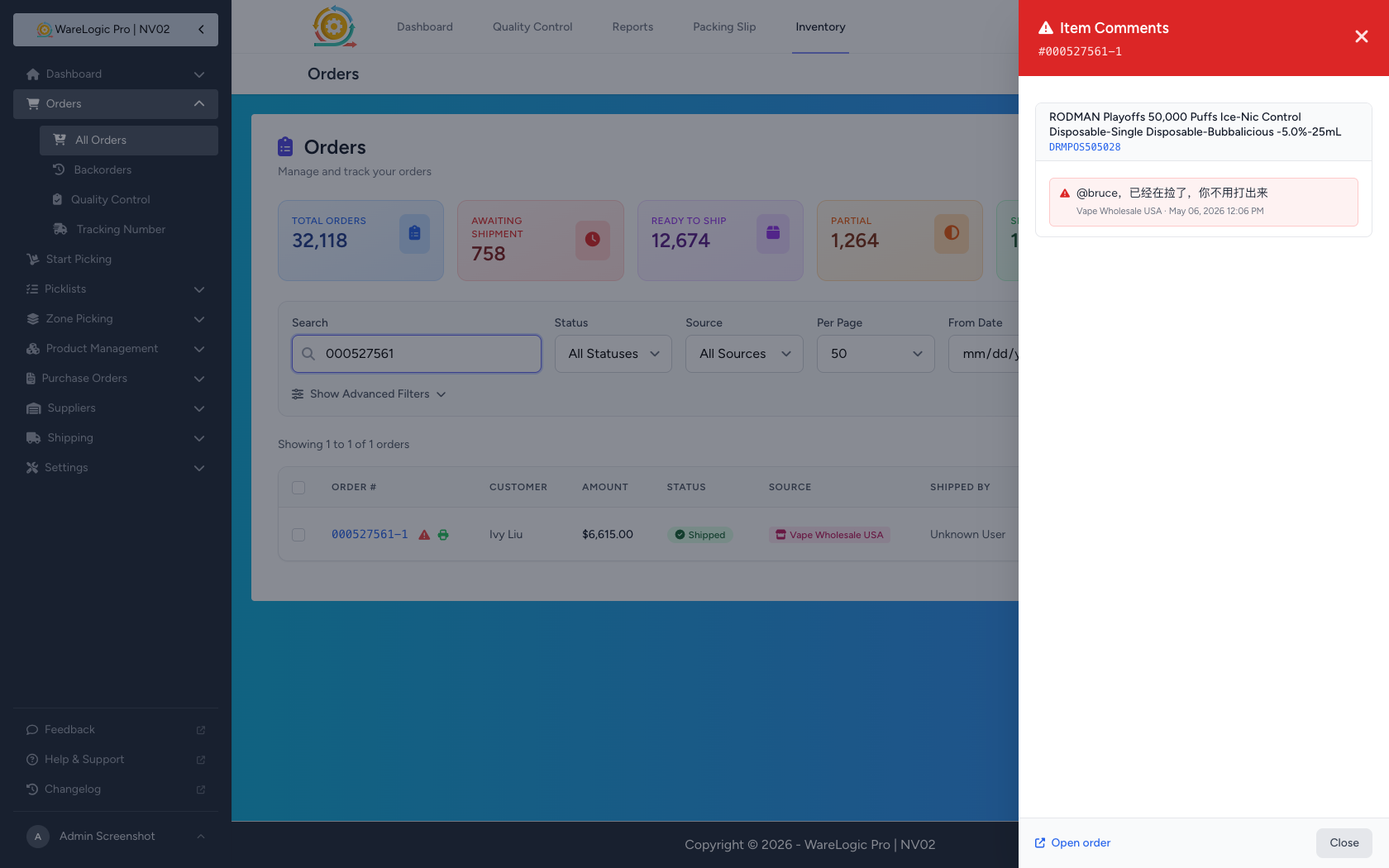
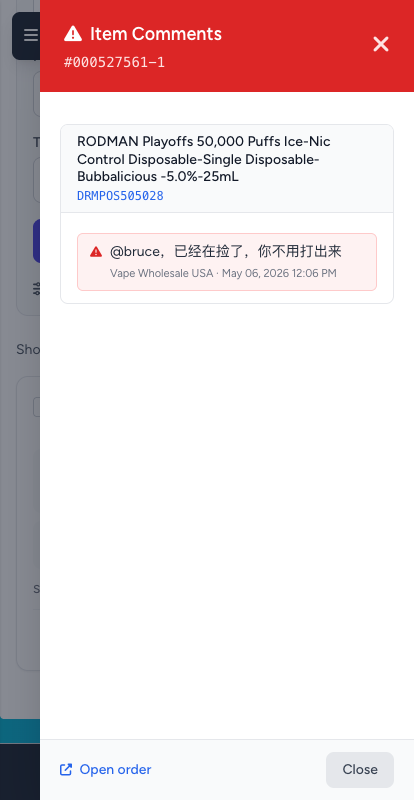
The red warning icon on orders with item notes (introduced in 0.1.6) is now a one-tap shortcut to read them — no need to open the full order page.
- Click the icon on the Orders page and a panel slides in from the right showing every item note on that order, grouped by product
- The icon now also appears on the mobile order cards — it was previously desktop-only
- An Open order link in the panel takes you to the full order details when you need more context
Item Notes on the Order Details Page
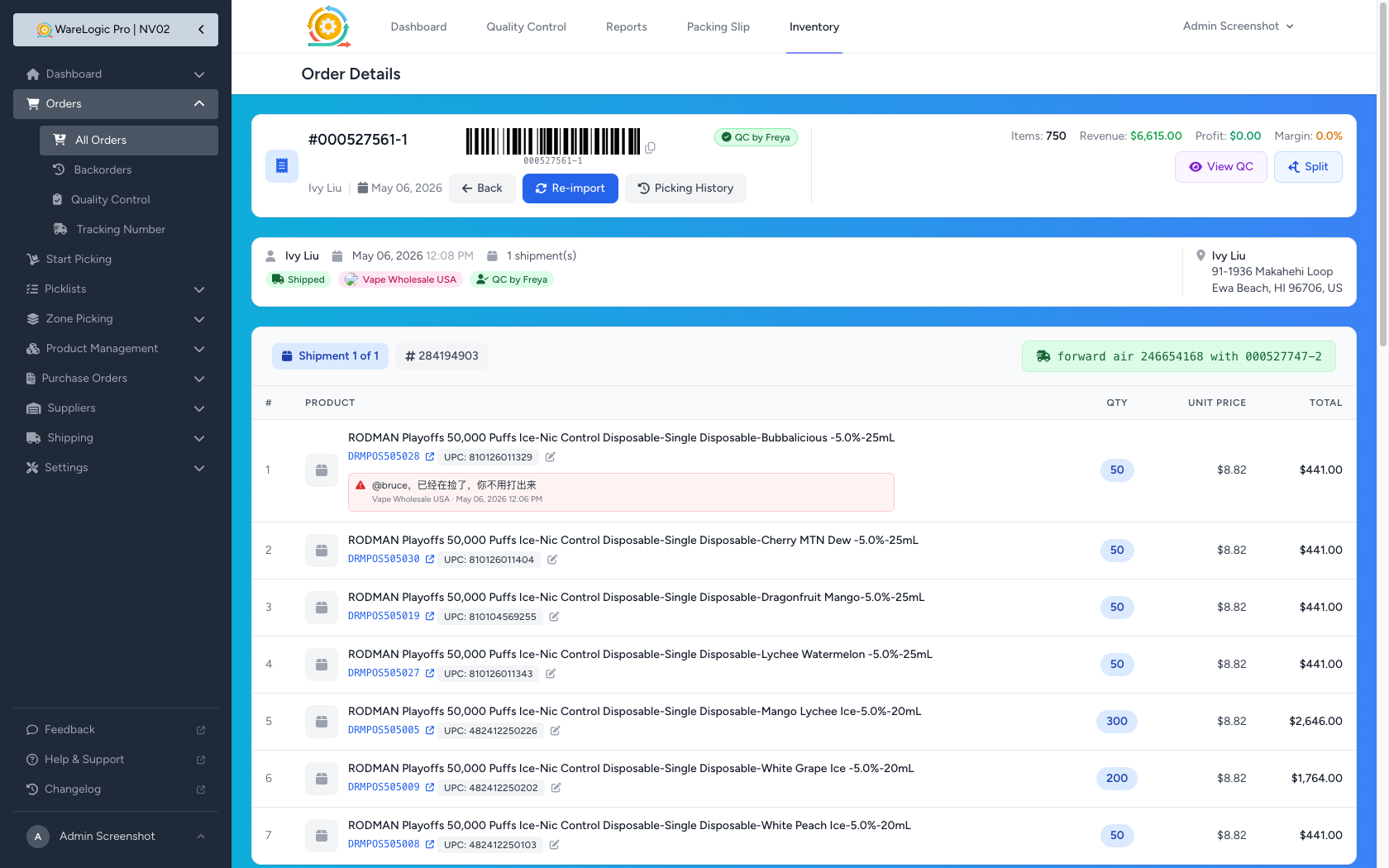
- Item notes now also appear inline next to the product they belong to on the order details page — even when the line item hasn't been moved into a shipment yet
- Updated to a red callout style so they're impossible to miss when QC or packing is reviewing the order
Faster Product & Order Pages
The product detail page and the order detail page now load noticeably faster — the activity log no longer holds up the rest of the page.
- A small loading spinner shows where the activity log will appear; it fills in after the page is on screen so you can start reading the order or product right away
- Filters and pagination inside the activity log section update in place without reloading the whole page