This release plugs the warehouse into Slack for the first time, turns the Pick Exceptions audit workflow into something you can clear in batches instead of one row at a time, and adds the filters managers have been asking for on Products and Orders. A few smaller polish items round it out.
Slack Alerts for Purchase Orders
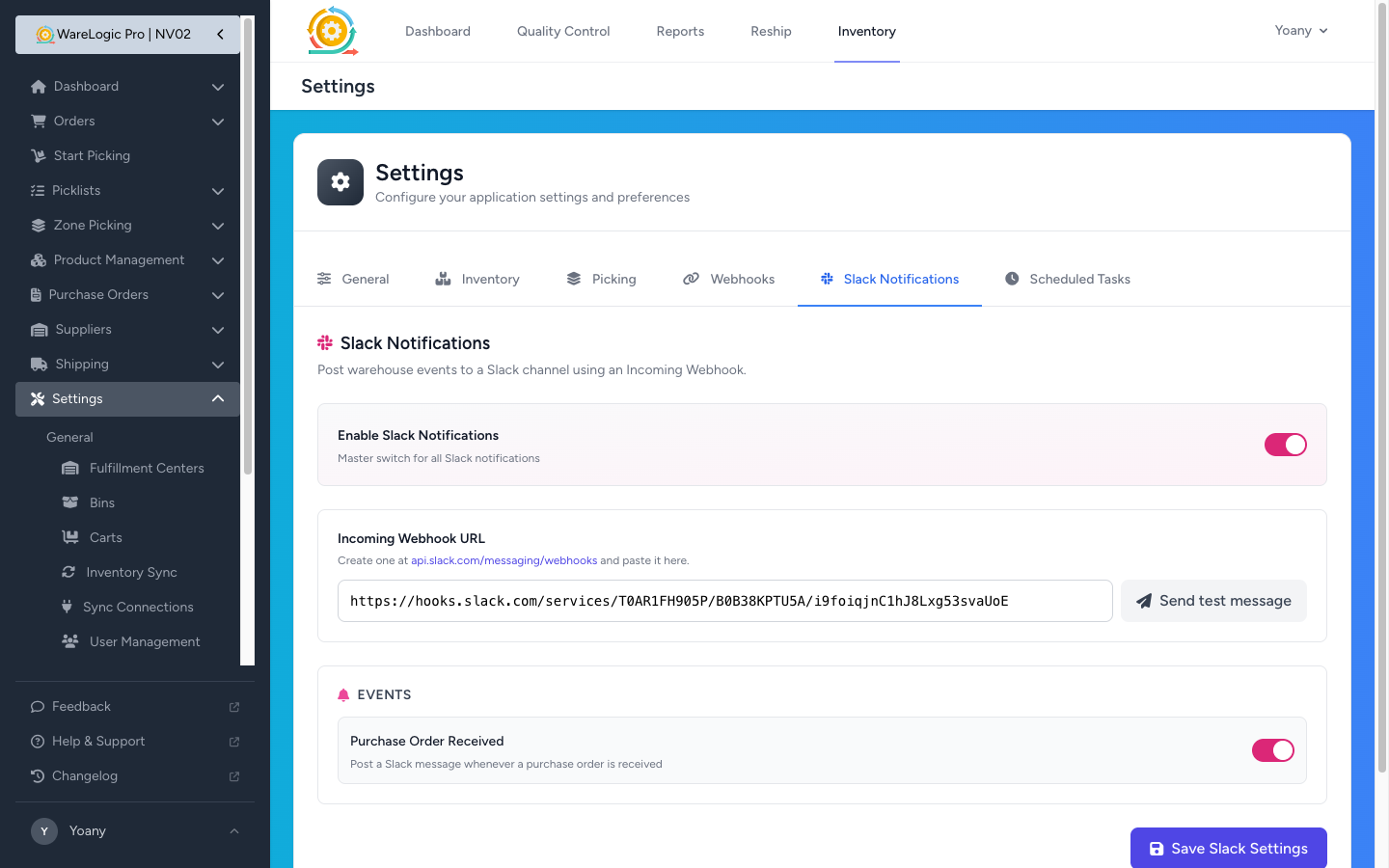
- New Slack tab in settings — paste an incoming-webhook URL, flip the master toggle on, and the warehouse can send alerts into any Slack channel
- A Send test message button lets you confirm the connection in one click before you turn live alerts on
- First event wired up: a Slack message every time a Purchase Order is received, with the PO number, supplier, and item counts
- Per-event switches so you can turn individual notifications on and off without disconnecting the whole integration
Filter & Track Audits on the Pick Exceptions Report
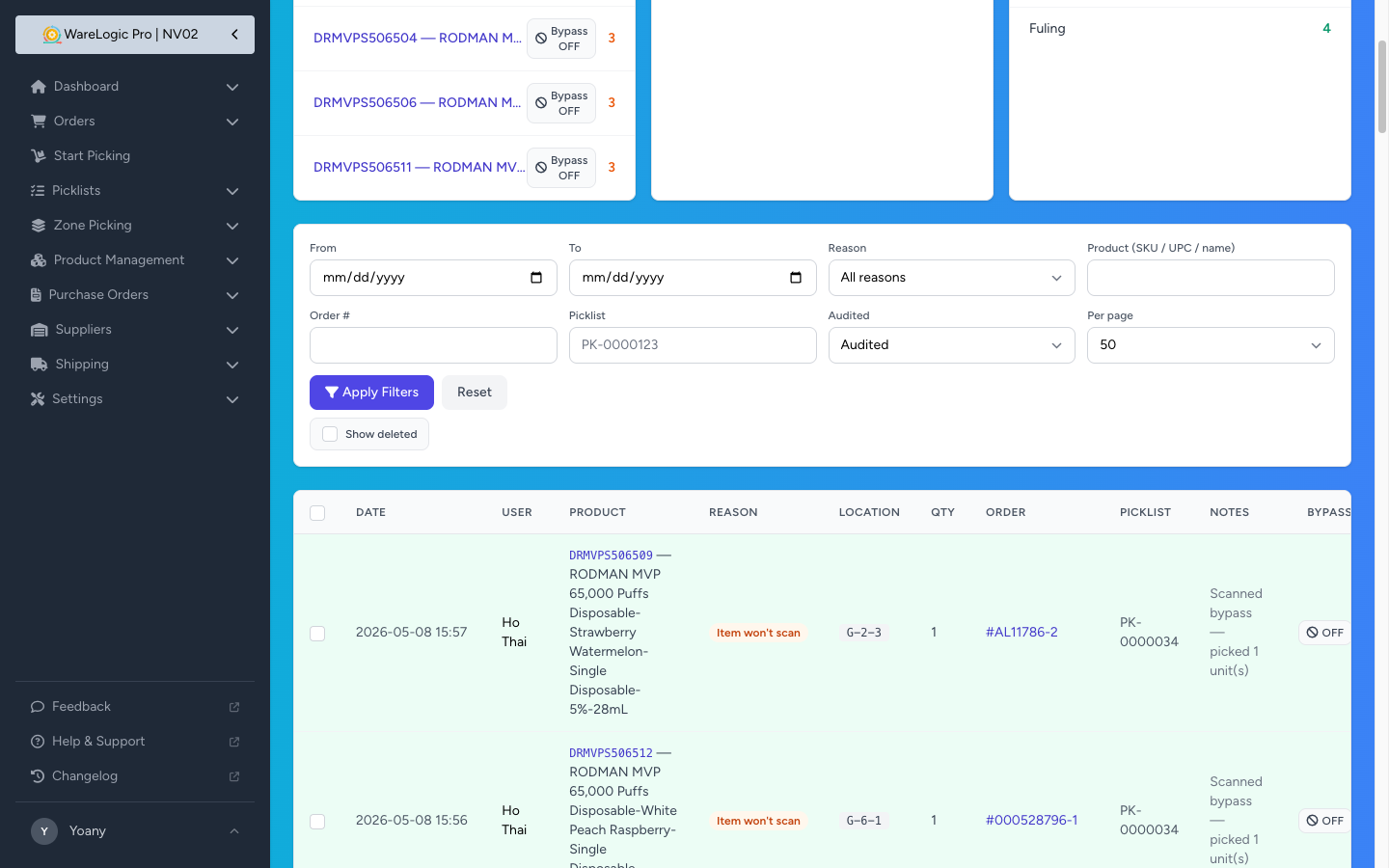
The audit workflow introduced in 0.1.7 picks up two improvements that make it easier to manage at scale.
- New Audited filter — Any / Audited / Not audited — so you can pull up everything still pending in one click
- Audited rows now show a small "by {name} · {date}" caption under the Undo button, so you can see at a glance who cleared what
Top Reporters on the Pick Exceptions Index
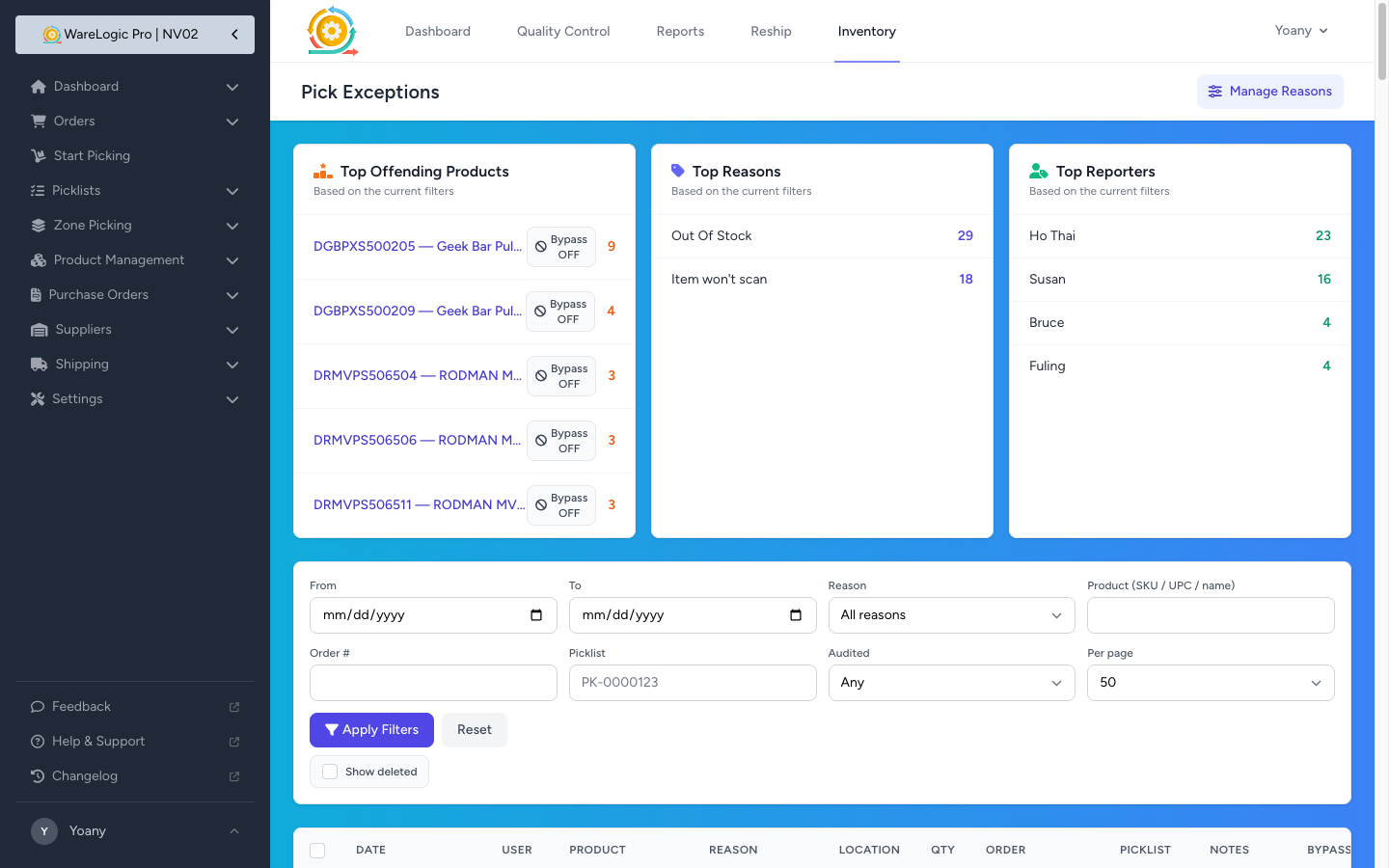
- A third summary card sits next to Top Products and Top Reasons: Top Reporters, showing the five users who've flagged the most exceptions
- Each name links straight into the report pre-filtered to that person, so you can see exactly what they've been flagging
Search Products by Bundle UPC
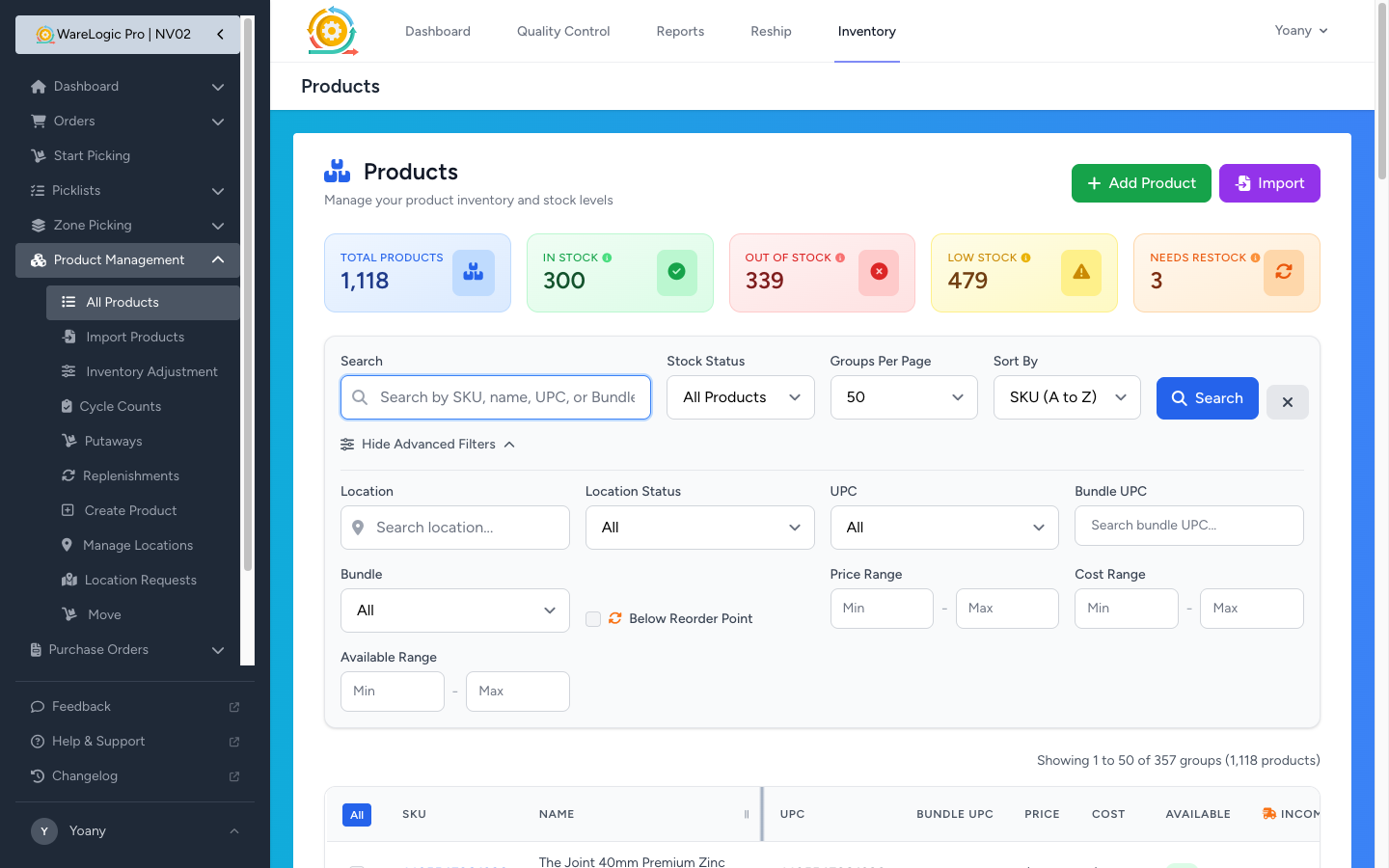
Bundles already had their own bundle UPCs — now they're searchable and visible from the Products page.
- New Bundle UPC field in the advanced filters lets you type a UPC and find every product that's part of that bundle
- New Bundle filter — Any / Has bundle / No bundle — to quickly slice the catalog into bundled vs. standalone items
- New Bundle UPC column on the Products list shows the bundle code for each product, with a +N badge when a product belongs to more than one bundle
- The filters carry through to bulk actions and export, so you can act on the filtered set without losing your search
Filter Orders by Item Notes
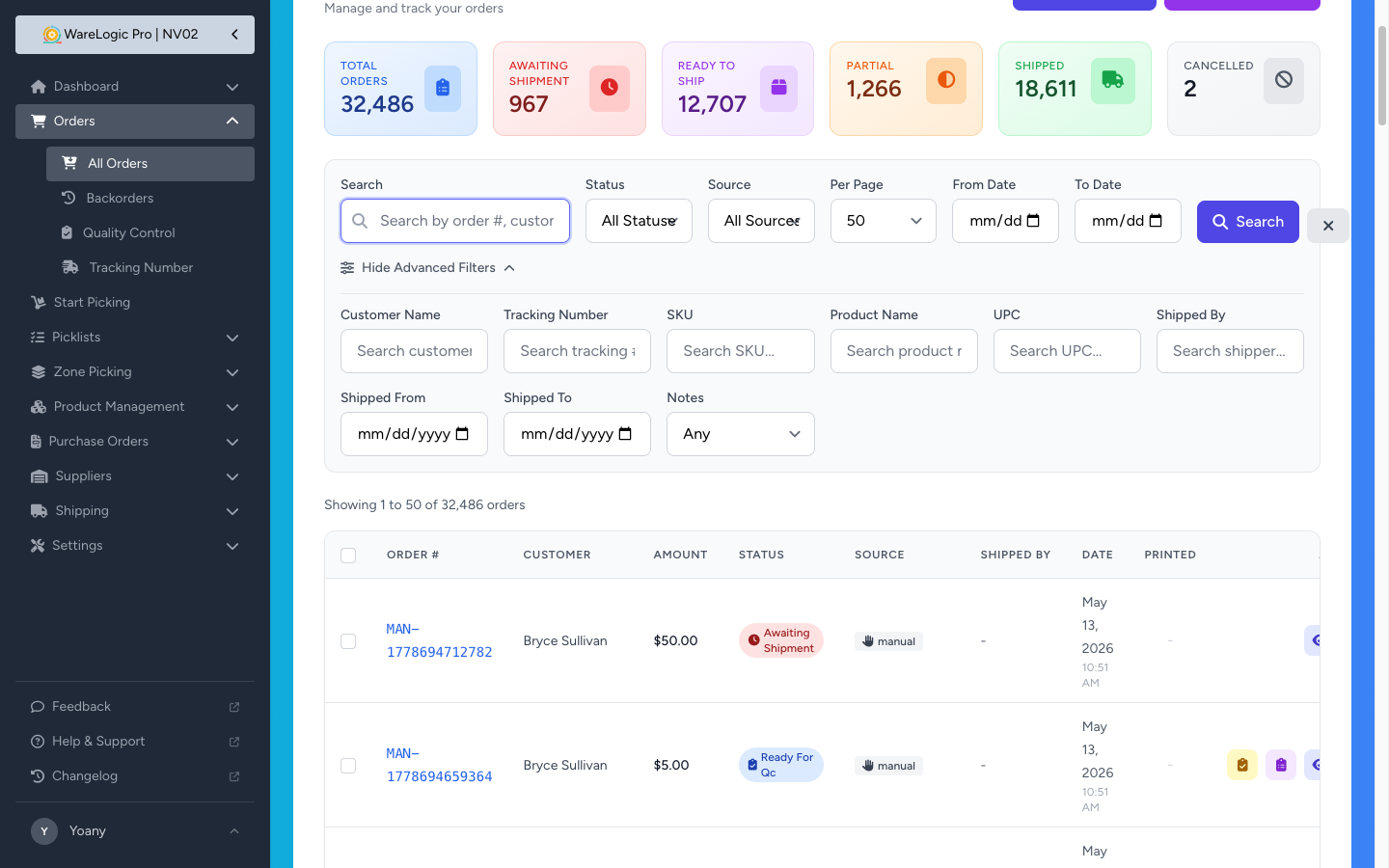
The red note icon on orders (introduced in 0.1.6) and the slide-over panel (0.1.7) are now joined by a filter, so you can pull up every order that has — or doesn't have — special instructions.
- New Notes option in the Orders advanced filters: Any / With notes / Without notes
- Pairs naturally with the slide-over panel: filter to "With notes" and walk down the list, tapping the icon on each order to review
Bulk Export on Locations
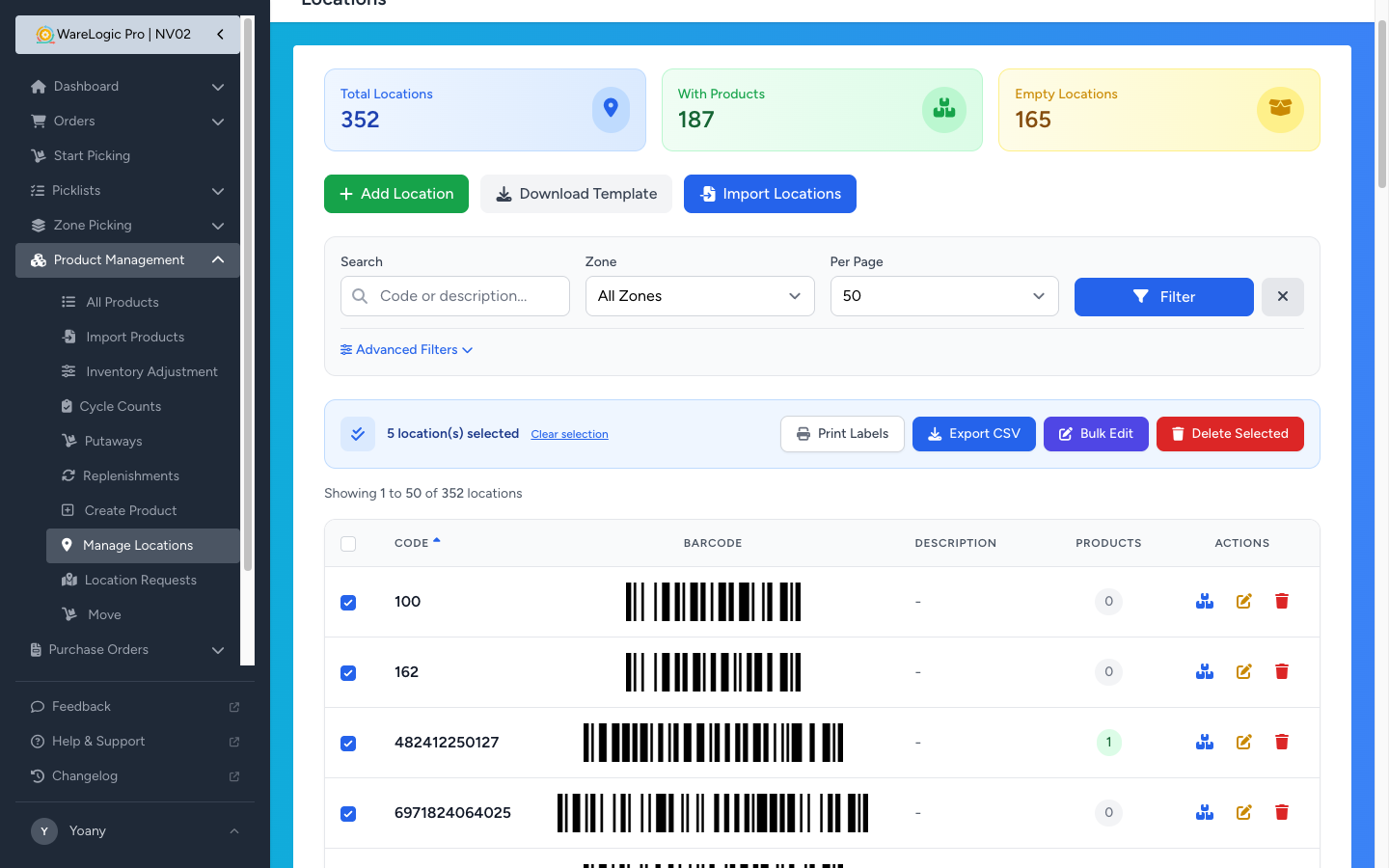
- The Locations page now has a Bulk Export action that downloads a CSV of just the rows you've selected (or every row matching your filters when you use select-all-matching)
- Import and export now round-trip cleanly — Zone and Type columns are included on both sides, and the importer reads headers case-insensitively
- A help block on the Import panel explains which columns are required and which are optional, so first-time users don't have to guess
Smaller Improvements
- "Packing Slip" in the sidebar is now called "Reship" — the page is for printing slips when reshipping an order, and the new name says so
- Location codes are automatically trimmed of leading and trailing spaces when you create or edit a location, so accidental whitespace can't create near-duplicate bins that share the same code on screen but live as separate records