This release tightens up two flows that pickers and managers run dozens of times a day. Reporting an out-of-stock item now searches your other locations before giving up, and re-importing a Duoplane order can no longer accidentally undo a picker's work. Picking settings have been reorganized into clear sections, and the picker's progress card now shows exactly where they are in the pick.
Out Of Stock Now Searches Other Locations
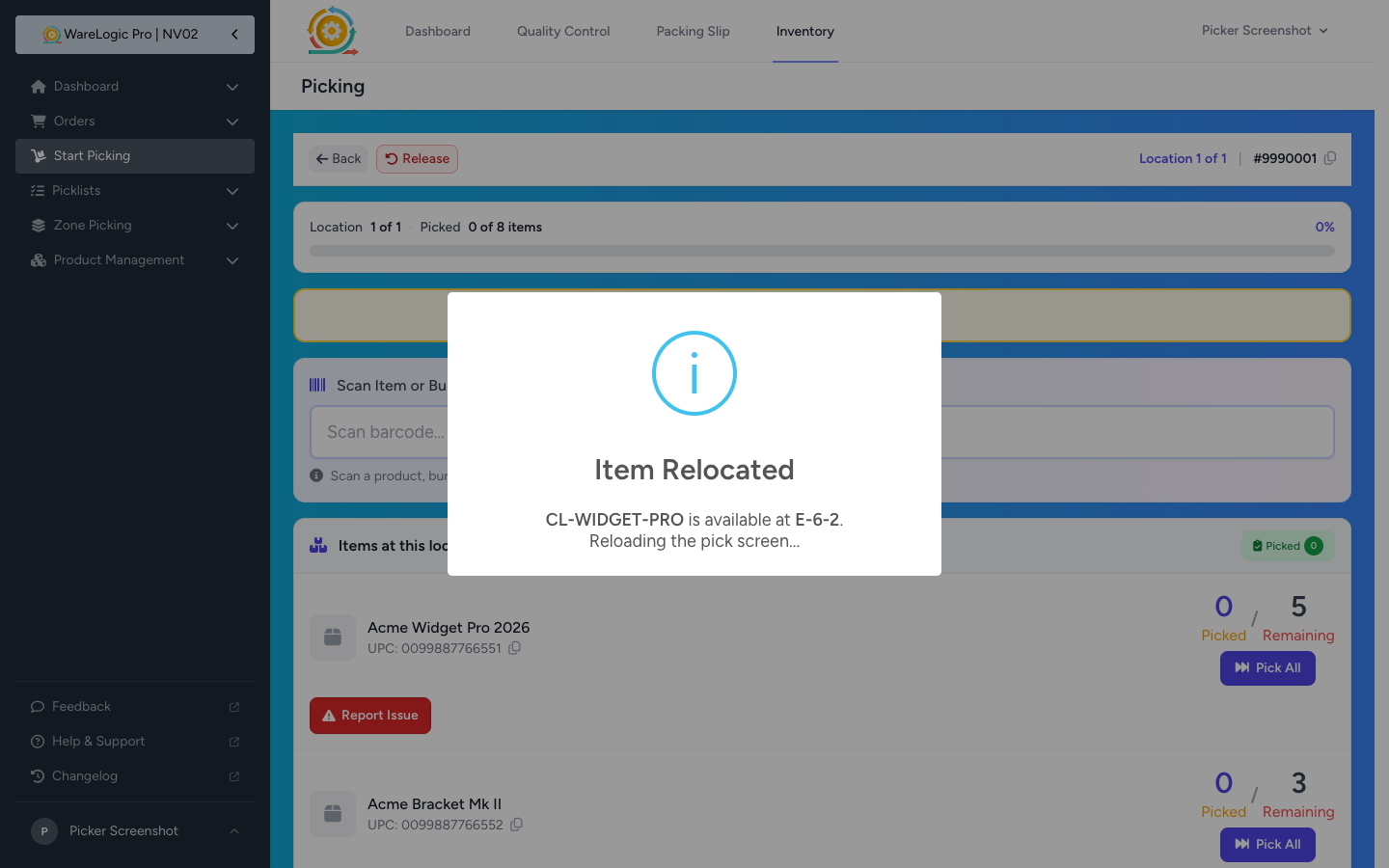
- When you tap Report Issue → Out Of Stock, the system now zeros the bin in front of you and checks if another location has stock
- If another bin has the product, the pick screen reloads to the new location with an "Item Relocated" message — no need to short-pick or hunt for the item
- If no other bin has stock, the item is short-picked and you auto-advance to the next item, just like before
- The separate "Item not in location" reason is gone — Out Of Stock now covers both situations with one button and one flow
Pick Exception Reasons Are Now Fixed
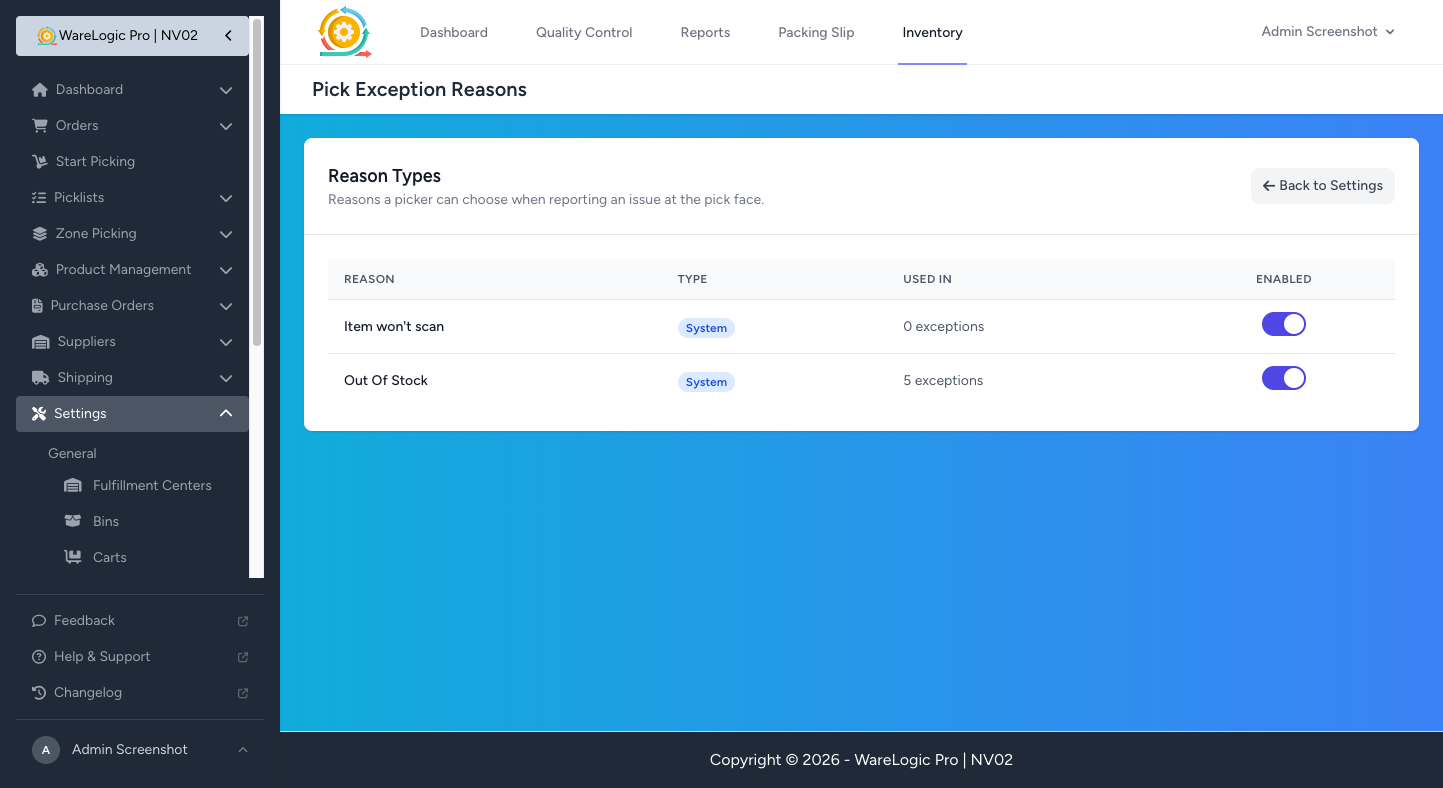
- The Pick Exception Reasons settings page is now a fixed list — Out Of Stock and Item won't scan are the only reasons pickers see
- Admins can still enable or disable either reason from the toggle, but can no longer rename, add, or delete reason codes
- The Add Reason, Edit, and Delete buttons have been removed
- The starter custom reasons (Damaged, Wrong Product) have been removed — keeping the picker's Report Issue popup focused on the two outcomes the system can act on
Picker Progress at a Glance
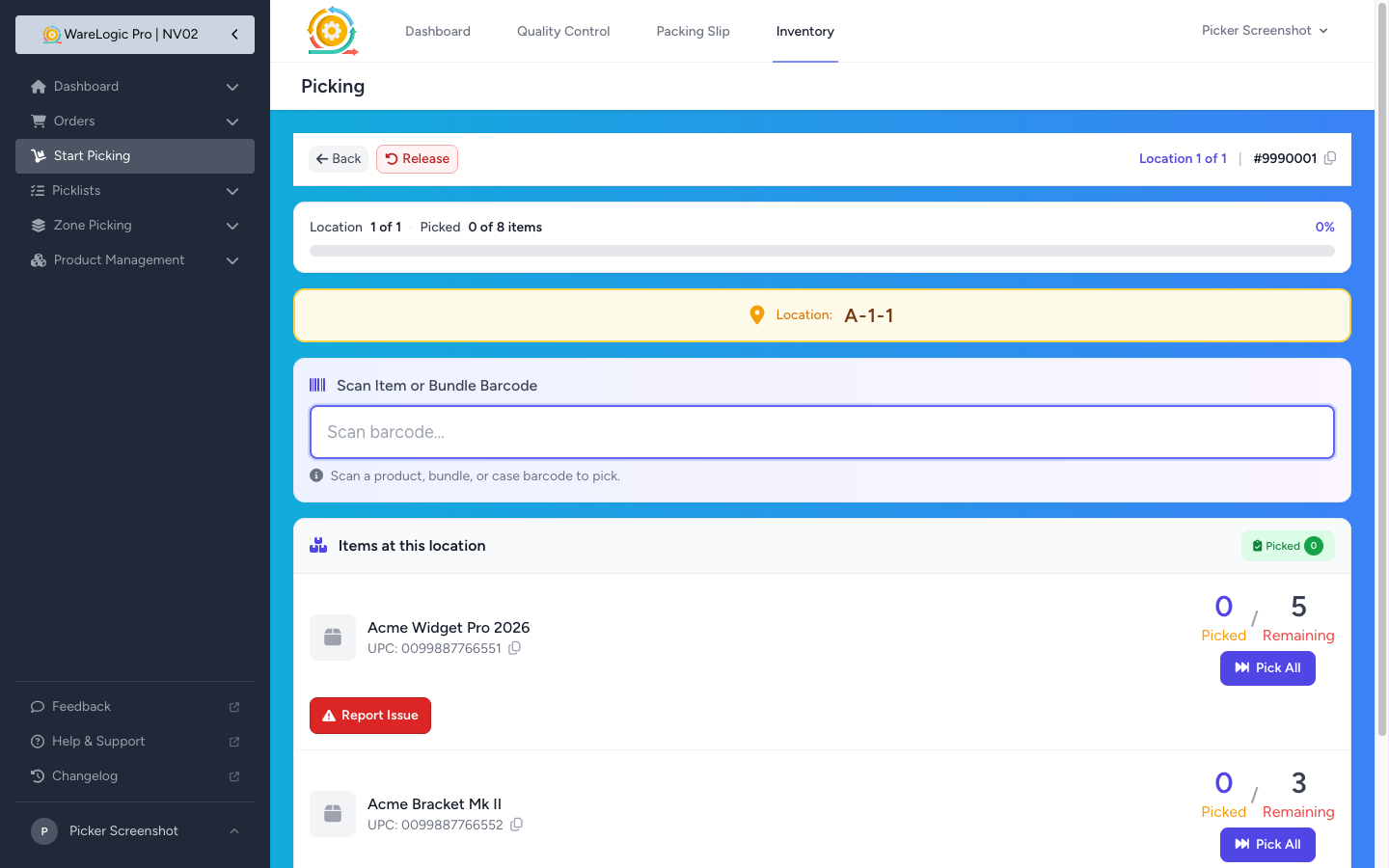
- The progress card on the pick screen now shows Location 1 of 3 · Picked 3 of 5 items above the progress bar
- See exactly where you are in the pick — both how many locations are left and how many units you've grabbed — without doing the math yourself
- The percentage and visual fill stay where they were, so the at-a-glance feel is the same
Picking Settings Reorganized
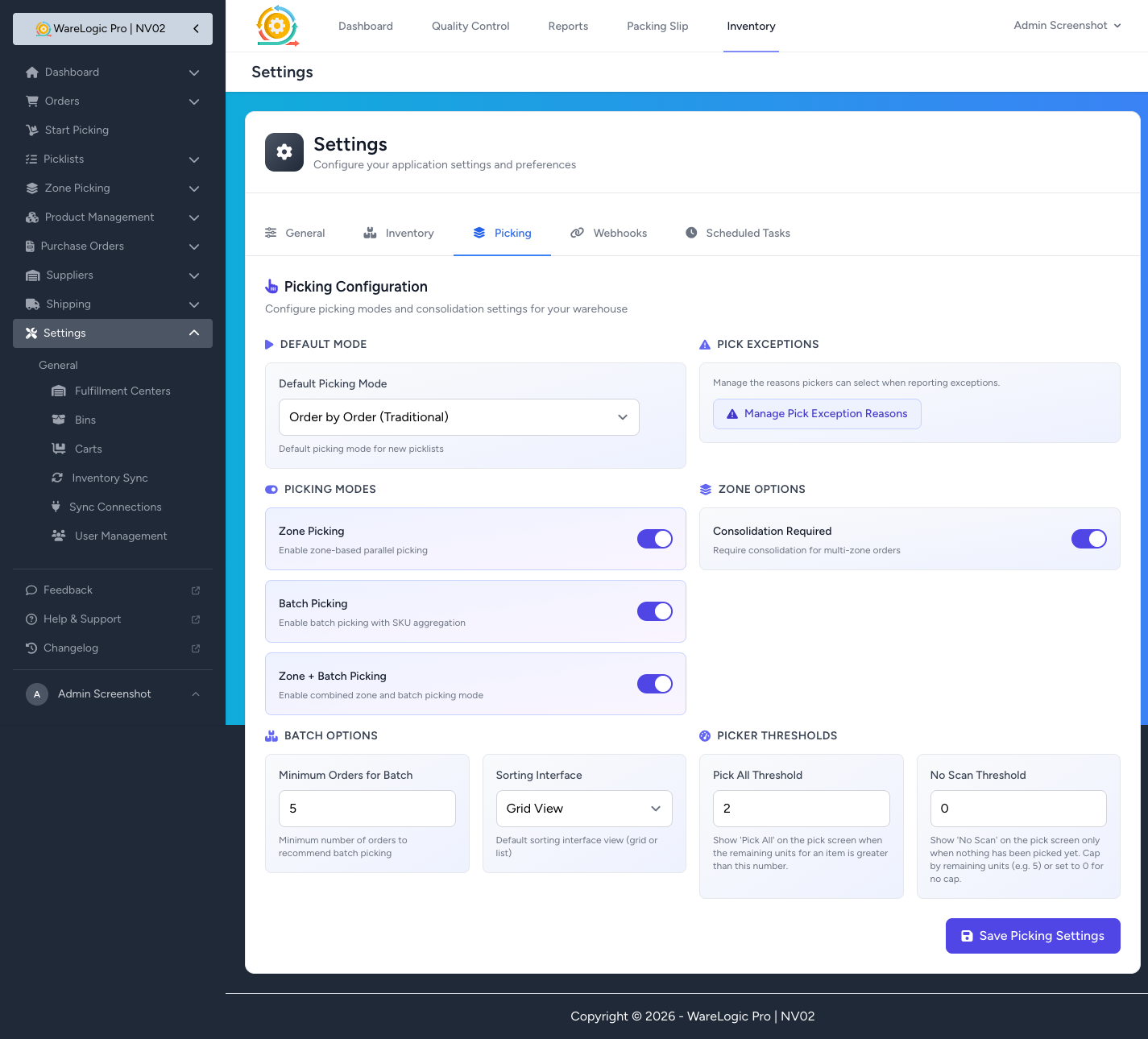
- The Picking tab in settings is now split into clearly labeled sections: Default Mode, Pick Exceptions, Picking Modes, Zone Options, Batch Options, and Picker Thresholds
- The link to manage pick exception reasons has been promoted to its own card — easier to find than the old footer link
- The reasons page itself now has a proper mobile card layout, so it's usable from a phone or scanner
- Fixed a small but annoying scroll jitter on the inventory background on mobile
Duoplane Per-Item Notes & Safer Re-imports
- Per-item notes from Duoplane orders are now imported and stored — handy when a vendor adds instructions for a specific line item
- A warning icon on the Orders page tells you at a glance which orders have item notes — open the order to read them inline
- Re-importing a Duoplane order is now far safer:
- Orders that are already shipped, completed, cancelled, or had their packing slip printed are blocked from re-import
- Orders actively being picked or sitting at a consolidation station are blocked too — no more silent overwrites
- A re-import that tries to remove or reduce a line item below what's already been picked is refused with a clear warning explaining why
- If a re-import legitimately adds new items or increases a quantity on an order that was already completed or in QC, the order is automatically reopened for picking so the new work doesn't get lost
- Every Duoplane re-import is now recorded in the order activity log, so you can see exactly when a refresh happened and what changed